

Sarah ran a thriving marketing consultancy. Even with a growing team and happy clients, she was constantly overwhelmed by day-to-day tasks. That’s when she started exploring virtual assistants for hire experts who could handle emails, scheduling, and other routine work giving her the time to focus on strategy and client growth.
On paper, everything looked great: revenue was up, clients were satisfied, and the team was expanding. But behind the scenes, she was drowning. Twelve-hour days filled with back-to-back meetings, nights spent answering emails, updating spreadsheets, and chasing invoices left her exhausted. Her calendar was chaotic, follow-ups were slipping through the cracks, and she knew she was leaving money on the table.
Then Sarah made one decision that changed everything: she hired a virtual assistant.
Within 30 days, she reclaimed 15 hours per week. Her inbox went from 200 unread messages to inbox zero. Client follow-ups happened like clockwork. And for the first time in months, she had breathing room to actually work on her business instead of just in it.
If you’re reading this, you’re probably where Sarah was capable, driven, but stretched impossibly thin. This guide will show you exactly how to find, hire, and onboard a virtual assistant who becomes your secret weapon for growth.
Why Smart Business Owners Hire Virtual Assistants
Let’s be honest: the DIY approach has an expiration date.
When you started your business, doing everything yourself made sense. You wore all the hats, learned every role, and kept costs lean. But here’s what most entrepreneurs don’t realize until it’s too late every hour you spend on $20/hour work is an hour you can’t spend on $500/hour work.
Here’s the cost of not delegating. If your time is worth $100 per hour and you spend 10 hours weekly on administrative tasks, you’re losing $1,000 in productivity every single week. That’s $52,000 annually. A full-time VA costs roughly $15,000 to $35,000 per year.
The math isn’t even close.
The Warning Signs You Need a VA Yesterday

You need a virtual assistant when:
1. Time drain symptoms
2. Operational red flags
3. Team strain indicators
The reality?
In our experience at Remms, businesses that delegate administrative tasks to a VA report an average 40% increase in productive hours within the first month. That’s nearly two full workdays back in your calendar every single week.
What Your Virtual Assistant Can Actually Handle
Virtual assistants aren’t just glorified schedulers. The right VA becomes an extension of your operations, handling everything from daily admin to specialized project work.
Administrative Support: Reclaim Your Calendar
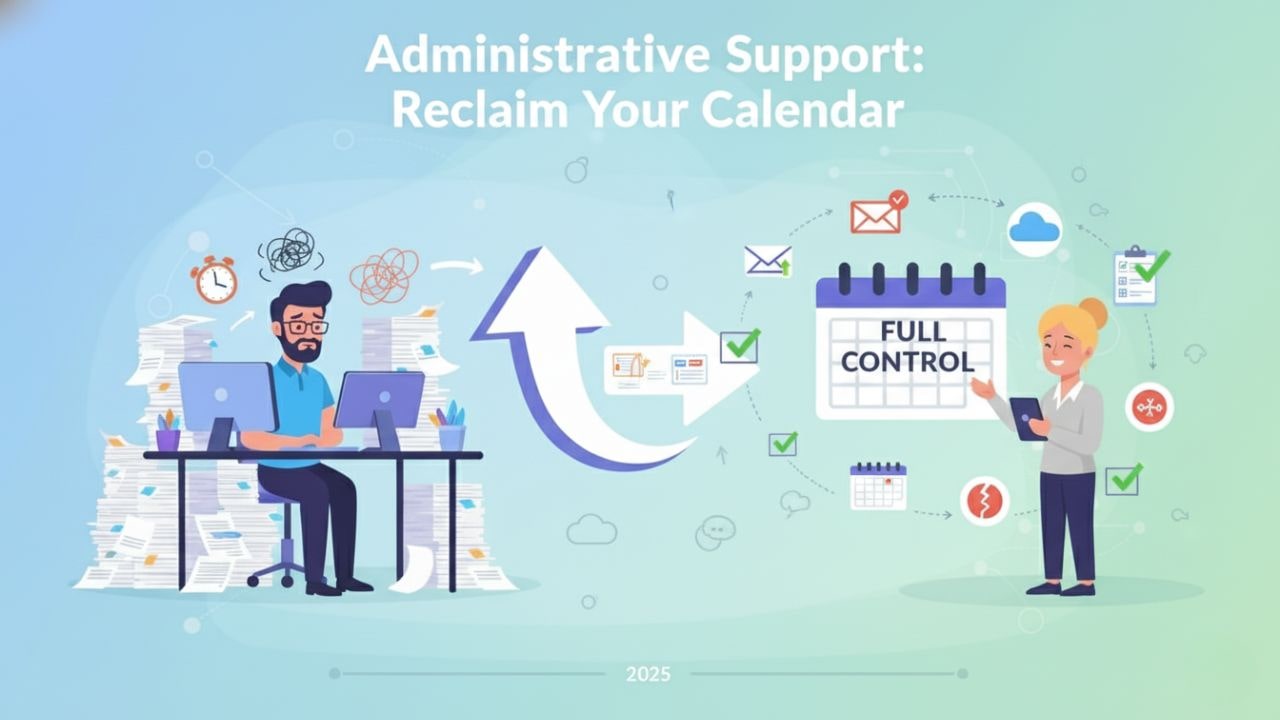
Administrative work typically consumes 30-40% of a business owner’s week. Here’s what changes when you delegate:
Calendar and communication management:
- Schedule meetings with built-in buffer time and prep blocks
- Screen and prioritize emails, flagging only what needs your attention
- Coordinate travel logistics including backup plans for delays
- Prepare meeting agendas and post-meeting action items
- Manage document filing systems with clear naming conventions
Sales and Marketing Support: Convert More Leads

Your sales and marketing team shouldn’t spend 60% of their time on data entry and follow-ups. A VA can handle:
Lead management and nurturing:
- Update CRM with accurate, current prospect information
- Queue up follow-up sequences at optimal times
- Research prospects before sales calls (LinkedIn, company news, pain points)
- Draft personalized outreach emails based on templates
- Track campaign performance and compile weekly reports
Content and social media:
- Schedule social media posts across platforms
- Repurpose long-form content into multiple formats
- Monitor brand mentions and engagement
- Coordinate with designers on branded materials
Back-Office Operations: Keep the Engine Running

Back-office work is invisible when done well and catastrophic when neglected. A VA ensures:
Financial operations:
- Process invoices and track payment status
- Follow up on overdue accounts professionally
- Reconcile expenses and maintain bookkeeping records
- Generate financial reports for monthly reviews
- Coordinate with your accountant during tax season
HR and compliance:
- Maintain employee records and documentation
- Track PTO, anniversaries, and review schedules
- Organize compliance documents and renewal dates
- Coordinate onboarding logistics for new hires
Specialized Support: Professional-Level Expertise

Not all VAs are generalists. Specialized virtual assistants bring professional skills that would otherwise require full-time hires:
Technical specialists:
- Graphic design for marketing materials and presentations
- Website updates, basic development, and troubleshooting
- SEO optimization and content strategy
- Video editing and multimedia production
Strategic support:
- Project management using Asana, Monday, or ClickUp
- Business analysis and reporting
- Customer success and retention coordination
- Executive support including research and briefing preparation
The Real Cost of Hiring a Virtual Assistant

Pricing varies dramatically based on three factors: expertise level, service model, and support infrastructure. Here’s how to think about your investment:
Pricing Model Comparison
| Service Type | Hourly Rate | What You Get | What You Manage | Best For |
|---|---|---|---|---|
| Freelance Platforms | $5–$20 | Direct hire, flexible hours, project-based | Everything: vetting, training, quality control, backup coverage | One-off projects, experimental delegation, very tight budgets |
| VA Agencies | $25–$100 | Pre-screened candidates, some training, account support | Onboarding, task management, performance reviews | Ongoing support needs, consistent tasks, moderate budgets |
| Managed VA Services | $25–$35 | Fully trained VAs, dedicated account manager, backup coverage, SOP development | Weekly check-ins only | High reliability needs, executive support, hands-off delegation |
The Hidden Costs People Miss
Freelancer model hidden costs:
- 10-15 hours of your time vetting candidates
- 20+ hours training and onboarding
- No coverage when they’re sick or take vacation
- Risk of inconsistent quality or sudden departures
- You handle all performance management
Managed service value adds:
- Backup VA coverage automatically
- Account manager handles performance issues
- Pre-built training and SOPs
- Quality assurance and regular check-ins
- Faster onboarding (often 3-5 days vs. 3-4 weeks)
The Proven 5-Step Framework to Hire Your Perfect Virtual Assistant
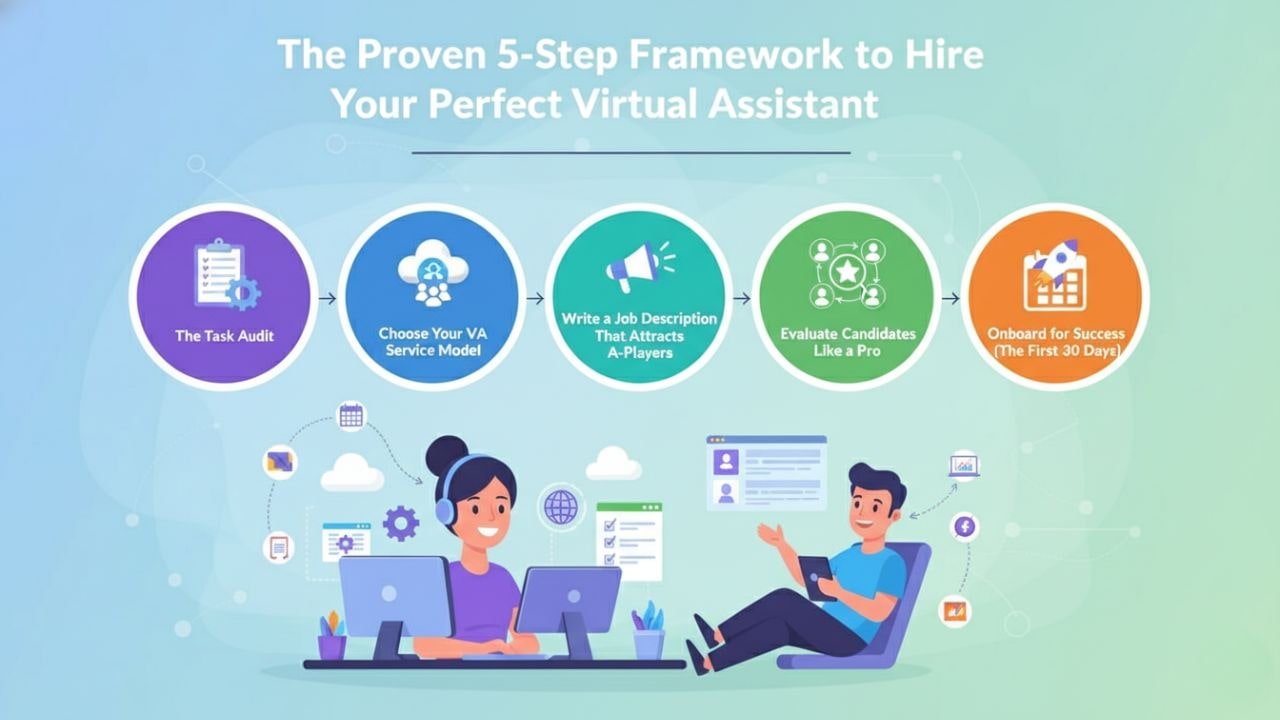
Most people hire VAs backwards they find a person, then figure out what to delegate. This leads to underutilization, poor task fit, and frustration on both sides. Here’s the right approach:
Step 1: Map Your Delegation Opportunities (The Task Audit)
Don’t guess at what to delegate. Measure it.
Your action plan:
1. Track your time for one full week
2. Categorize each task
3. Score each task on two dimensions
2. Calculate your delegation score
Example:
Inbox management: Daily (5) × Anyone can do it (5) = 25 points → Delegate immediately.
Quarterly financial analysis: Monthly (1) × Requires expertise (1) = 1 point → Keep for now or hire specialized help
CRM updates: Daily (5) × Needs training (3) = 15 points → Perfect VA task after proper onboarding
Step 2: Choose Your VA Service Model (The Decision Framework)
Use this framework to determine which model fits your business:
Choose FREELANCER if:
- You have time to manage vetting and training (10-20 hours)
- Tasks are project-based or vary significantly week to week
- Budget is under $800/month for VA support
- You’re comfortable with potential turnover and finding replacements
VA AGENCY if:
- You want pre-vetted candidates but will manage day-to-day
- Tasks are consistent and ongoing
- Budget is $1,000-$4,000/month
- You’re willing to handle performance management and training
Choose MANAGED VA SERVICE if:
- You want to delegate and forget
- You need guaranteed coverage and backup support
- Tasks are business-critical and require high reliability
- Budget is $1,000-$2,500/month
- You value your time at $75+/hour
Step 3: Write a Job Description That Attracts A-Players
Vague job descriptions attract vague candidates. Specificity attracts excellence.
Your winning job description template:
Role Title: [Be specific: “E-commerce Operations VA” beats “Virtual Assistant”]
Company Context: (2-3 sentences) “We’re a fast-growing [industry] company serving [customer type]. We’re scaling from $X to $Y in revenue this year and need operational support to maintain our high standards as we grow.”
Core Responsibilities: (5-7 specific tasks)
- Manage founder’s calendar using Google Calendar, including buffer time and prep blocks
- Process and respond to customer service inquiries within 2 hours during business hours
- Update HubSpot CRM daily with call notes, deal stages, and follow-up tasks
- Prepare weekly performance reports covering sales, marketing, and customer metrics
- Coordinate with vendors and track project deliverables using Asana
Required Tools/Software:
- Google Workspace (Gmail, Calendar, Drive)
- Slack for team communication
- HubSpot CRM or similar
- Asana or Monday.com for project management
Working Hours:
- 20 hours per week, Monday-Friday
- Core hours: 9 AM – 1 PM EST (flexibility on remaining hours)
- Some week-to-week variation based on business needs
Key Success Metrics:
- Inbox processed to zero daily
- All follow-ups completed within 24 hours
- CRM accuracy above 95%
- Reports delivered every Monday by 10 AM
- Zero missed meetings or scheduling conflicts
Ideal Candidate Qualities:
- Proactive problem solver who suggests improvements
- Strong written communication (professional, clear, concise)
- Detail-oriented with excellent organizational skills
- Comfortable with ambiguity and changing priorities
- Previous experience with [industry] a plus but not required
Compensation: $[rate]/hour, paid [weekly/monthly], [hours] per week initially with growth potential.
Step 4: Evaluate Candidates Like a Pro (The 3-Phase Filter)
Don’t hire based on resumes alone. Use a systematic evaluation that predicts actual performance.
Phase 1: Initial Screening (Eliminate 70% of candidates)
Review applications for:
- Attention to detail: Did they follow application instructions exactly?
- Communication quality: Is their cover letter clear, professional, and error-free?
- Relevant experience: Have they done similar tasks, even in different industries?
- Tool familiarity: Do they list the specific tools you mentioned?
Red flags to eliminate immediately:
- Generic cover letters that could apply to any job
- Spelling or grammar errors in professional communications
- No examples or specifics about past work
- Requesting significantly higher rates than posted
Phase 2: Skills Assessment (Eliminate 50% of remaining candidates)
Create a paid test project (1-2 hours maximum) that mirrors actual work:
Example test projects:
- For admin support: “Review this inbox of 30 emails. Categorize them, draft responses for 5, and flag the 3 most urgent for my immediate attention.”
- For CRM management: “Here are 10 sales call summaries. Update our demo CRM with appropriate information, categorize lead quality, and schedule appropriate follow-ups.”
- For research: “Find 15 potential podcast guests in the [industry] space who have published books in the last 2 years. Provide name, book title, contact info, and a brief relevance note.”
What you’re evaluating:
- Accuracy: Did they complete the task correctly?
- Initiative: Did they ask clarifying questions or make reasonable assumptions?
- Efficiency: How long did it take relative to task complexity?
- Communication: How did they present their work?
Pay candidates $25-$50 for test projects. This demonstrates respect for their time and ensures serious applicants only.
Phase 3: Interview and Culture Fit (Select your final choice)
Interview your top 2-3 candidates focusing on:
Questions that reveal problem-solving:
- “Tell me about a time a client or manager gave you unclear instructions. How did you handle it?”
- “If you’re working on a task and realize you don’t have access to information you need, what do you do?”
- “Describe a system or process you created to stay organized. Walk me through it.”
Reveal communication style through these questions:
- “How do you prefer to receive feedback?”
- “When do you escalate an issue versus solving it yourself?”
- “How do you prioritize when you have multiple urgent tasks?”
Questions that assess reliability:
- “What does your typical workday look like? When are you most productive?”
- “How do you handle sick days or times you can’t work?”
- “What’s your backup plan if your internet or power goes out?”
Step 5: Onboard for Success (The First 30 Days)
Most VA relationships fail because of poor onboarding, not poor hiring. Here’s how to set your VA up for immediate success:
Week 1: Foundation and Access
Day 1-2:
- Send welcome email with overview of company, mission, and culture
- Provide access to all necessary tools (calendar, email, CRM, project management)
- Schedule 60-minute kickoff call to review expectations and answer questions
- Share any existing documentation, brand guidelines, or SOPs
Day 3-5:
- Assign first real task (start simple something they can complete successfully)
- Request daily end-of-day summaries this first week (15-minute Loom video or written update)
- Provide detailed feedback on their first deliverables
- Schedule second check-in to address any early questions
Week 2: Building Systems
- Begin delegating your highest-priority tasks from your audit
- Create SOPs together as they complete tasks (they document, you review)
- Establish communication rhythms (daily Slack check-ins, weekly video calls)
- Set up shared task management system (Asana, Trello, or Monday.com)
Week 3-4: Optimization and Independence
- Increase task complexity and volume gradually
- Identify bottlenecks and refine processes
- Empower them to make decisions within defined parameters
- Conduct formal 30-day review with feedback both directions
Pro Onboarding Tips:
Use video SOPs: Record yourself doing the task once with Loom instead of writing 10-page manuals. It’s faster to create and easier to follow.
Create decision frameworks: Instead of “ask me everything,” give guidelines like: “If it costs under $50 and we’ve done it before, just do it. If it’s new or over $50, run it by me first.”
Communicate in public channels: Use Slack channels instead of DMs when possible. This builds institutional knowledge and prevents information silos.
Schedule buffer time: Don’t expect 100% productivity immediately. Give them room to learn your systems without feeling rushed.
The 30-60-90 day framework:
- 30 days: Foundation learning systems, completing basic tasks reliably
- 60 days: Optimization identifying improvements, handling complexity
- 90 days: Independence anticipating needs, suggesting solutions proactively
Your Virtual Assistant Success Checklist
Before you start hiring, ensure you have:
Preparation Checklist:
- Completed one-week task audit with delegation scores
- Determined VA service model (freelance, agency, or managed)
- Created specific job description with success metrics
- Prepared test project that mirrors real work
- Set up necessary tools and access permissions
- Defined communication schedule and check-in frequency
- Established initial task list prioritized by delegation score
- Allocated budget ($1,000-$2,500/month is typical)
- Committed to proper onboarding time (5-10 hours first month)
First Month Success Indicators:
- VA completes tasks accurately 90%+ of the time
- You’ve reclaimed at least 5-10 hours per week
- Communication feels smooth and efficient
- SOPs are being documented and refined
- No critical mistakes or missed deadlines
- You feel comfortable delegating more
Ready to Reclaim Your Time?
You’ve read the guide. You understand the ROI. You know the warning signs that you’re past due for help.
Here’s what happens next:
The Fast Track: Work with a managed VA service that handles vetting, matching, training, and backup coverage. Focus on delegating while they handle everything else. Total time investment: 5-10 hours.
The businesses that scale fastest don’t hesitate on proven time-savers. They make the decision, take action, and move forward.
Hire a skilled, dedicated VA with Remms in less than 72 hours. Forget lengthy hiring processes or the headaches of training. Enjoy continuous support with no coverage gaps. Your new VA integrates seamlessly into your workflow, providing reliable, professional assistance from day one.
Your future self the one working 35 hours a week instead of 60, the one growing revenue instead of drowning in email will thank you for taking action today.
Hire With Remms Today!
Still have questions? Our team helps businesses like yours delegate effectively every single day. Reach out and let’s talk about your specific situations
Book a Free Consultation