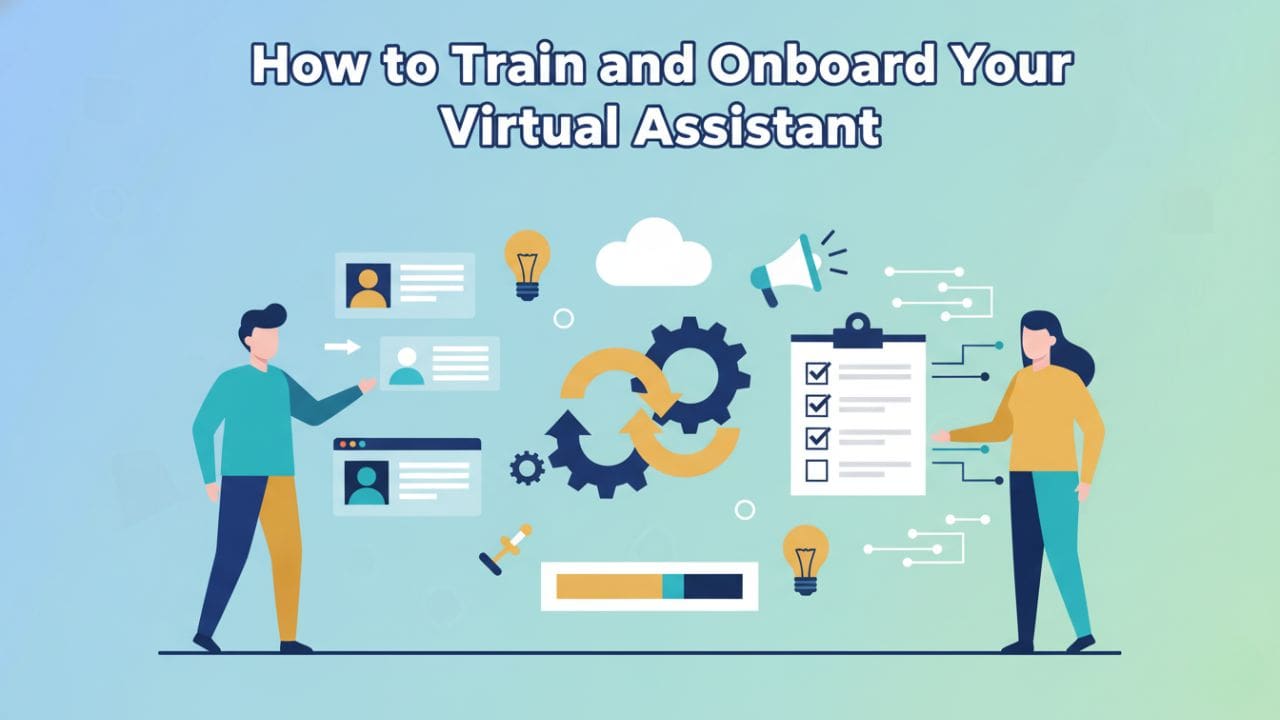
Hiring a virtual assistant is easy. Training them properly? That’s where most businesses struggle.
Many founders expect instant results. Instead, they deal with missed instructions, constant follow-ups, and frustration.
The problem isn’t the VA. It’s the onboarding process.
In this guide, I’ll show you exactly how to train and onboard a virtual assistant quickly, using a proven system that reduces errors, saves time, and delivers results fast — even if this is your first VA.
This is the same framework we use at REMMS to onboard VAs efficiently across multiple industries. Our system has helped businesses reduce onboarding time by 40% while cutting task errors by up to 65% in the first month.
What You’ll Learn
- How to train a virtual assistant without micromanaging
- The REMMS 7-Day VA Accelerator framework that works
- A complete 30-day phased training calendar with milestones
- Tools and systems that speed up learning
- Communication frameworks that eliminate confusion
- Sample training playbooks for common VA tasks
- Performance measurement dashboards
- Mistakes that slow down VA productivity
- Downloadable templates and checklists
- Optimization strategies to scale training as you grow
Why Most Businesses Fail at Virtual Assistant Training
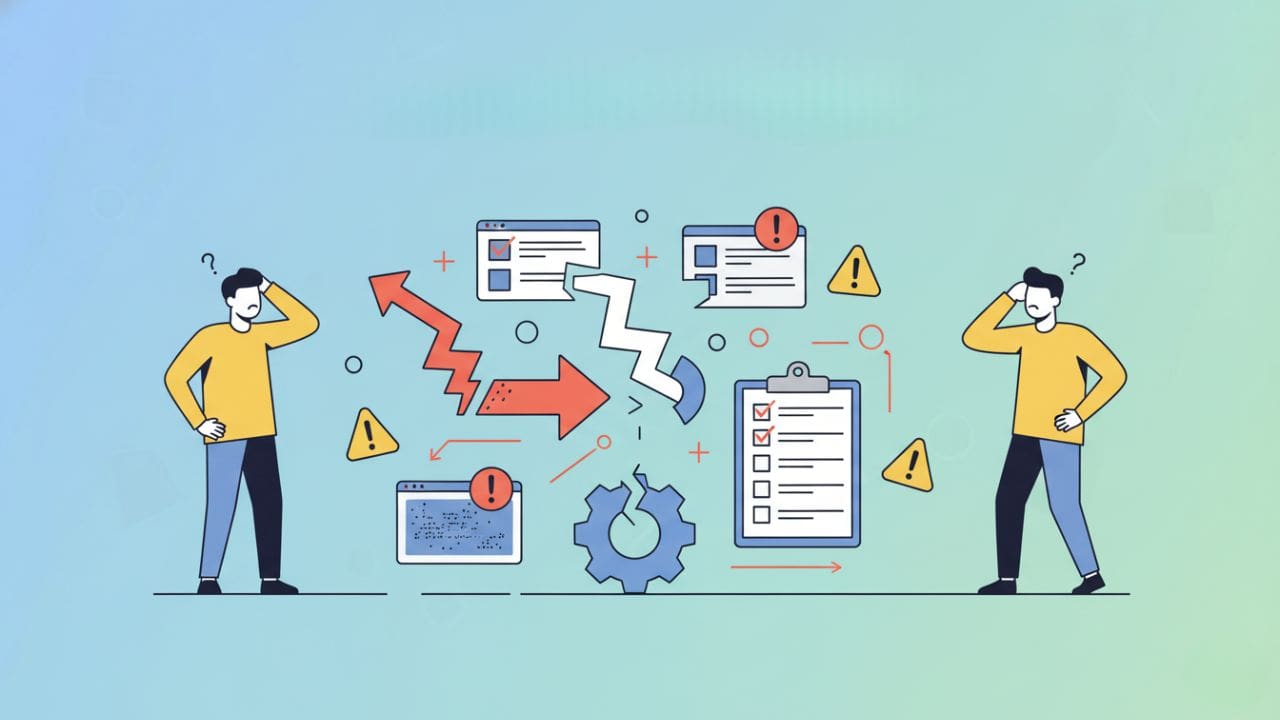
Before we jump into the steps, let’s fix the root problem.
Most businesses:
- Give instructions verbally
- Explain tasks once
- Assume “they’ll figure it out”
- Provide feedback too late
This leads to:
- Repeated mistakes
- Slow output
- Founder burnout
Training a virtual assistant is not about explaining tasks. It’s about building systems.
The Remms 7-Day VA Accelerator Framework
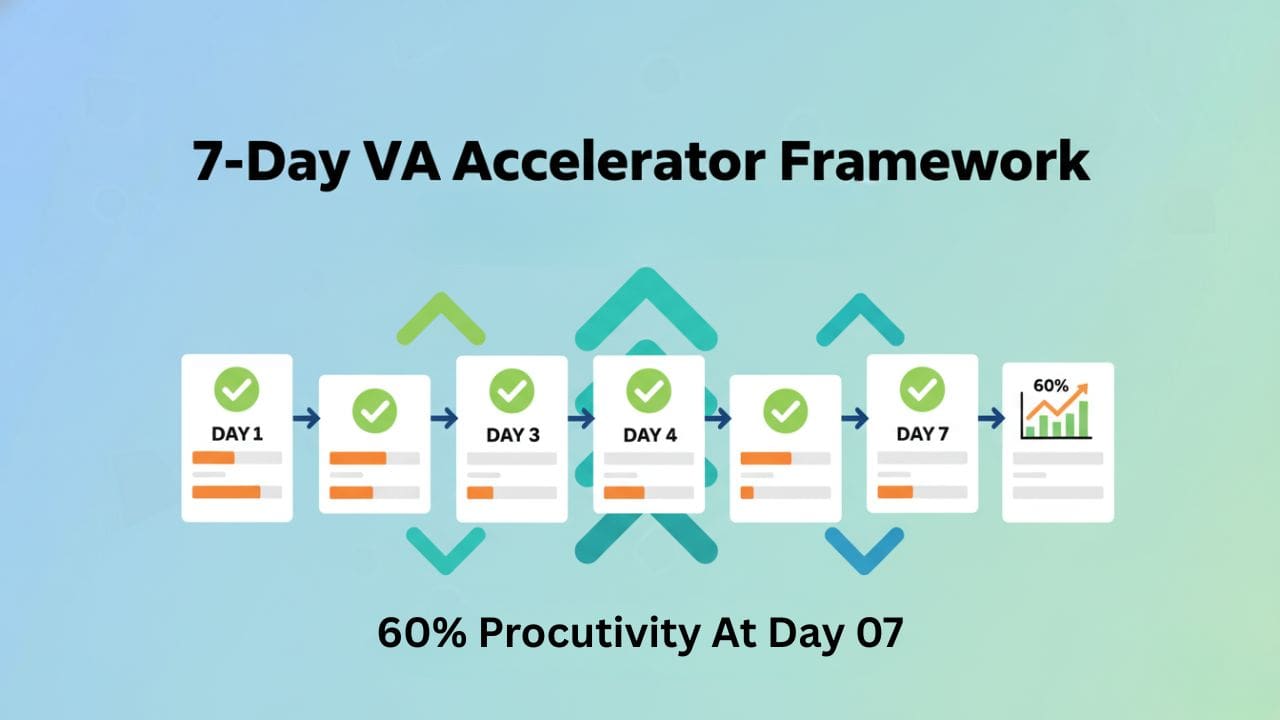
Our proven system breaks down into 7 core steps that build on each other. When implemented correctly, VAs reach 70% productivity by day 7 and full productivity by week 4.
Step 1: Define Outcomes, Not Just Tasks
Most people say: “Handle emails.” “Manage my calendar.” “Do admin work.”
That’s vague.
Instead, define clear outcomes with measurable success criteria.
Example:
- Inbox zero by 4 PM daily
- Calendar booked with 15-minute buffers
- Client emails replied within 6 business hours
- Weekly report submitted every Friday by 10 AM
This clarity removes confusion and speeds up training instantly.
Task Brief Template: Use the “OSCAR” framework for every task assignment:
- Objective: What needs to be accomplished
- Scope: What’s included and excluded
- Context: Why this matters to the business
- Approach: Suggested method or process
- Results: What success looks like (with metrics)
Step 2: Prepare a VA Starter Kit (Before Day One)
If your VA joins and asks: “Where is everything?” Training already failed.
Your starter kit should include:
Core Documents:
- Company overview (what you do, who you serve)
- Mission, values, and culture guide
- Tools list (Slack, Trello, CRM, email)
- Access credentials via password manager
- Work hours and communication rules
- Priority list of tasks
- Team directory with roles
- Quick-win task list for day one
Resource Library Structure:
/VA-Resources
  /SOPs
    /Email-Management
    /Calendar-Management
    /Customer-Support
  /Templates
    /Email-Templates
    /Report-Templates
    /Task-Brief-Templates
  /Tools-Guides
    /Slack-Setup
    /CRM-Walkthrough
  /Examples
    /Completed-Work
    /Best-Practices
This preparation alone cuts onboarding time by 40–50%.
Step 3: Use SOPs That Actually Work (Not Long Documents)
One of the biggest gaps in traditional training is poor SOP design.
Here’s what works better.
Instead of:
- 10-page documents
- Unclear steps
- No visuals
Use:
- Short written steps (5-10 steps max)
- Screen-recorded videos (3-7 minutes)
- Real examples
- Visual flowcharts
Best SOP structure:
- What is the task
- When it’s done
- Who’s responsible
- Tools required
- Step-by-step process (with screenshots)
- Quality checklist
- Common mistakes to avoid
- Where to get help
Research shows that employees trained with video-based SOPs retain 95% of the information compared to 10% from text-only instructions.
Video SOPs using Loom or screen recording tools dramatically speed up VA learning.
SOP Template for Email Management:
Task: Daily Email Triage
Frequency: Every morning by 9 AM
Time Required: 30-45 minutes

Process:
1. Open inbox and sort by unread
2. Apply email decision tree:
   - Urgent client matters → Flag and notify immediately
   - Routine inquiries → Draft response for approval
   - Newsletters → Archive or unsubscribe
   - Spam → Delete
3. Use templates for common responses
4. Update task tracker with action items
5. Achieve inbox zero by 10 AM

Quality Check:
□ All client emails addressed
□ No emails older than 24 hours
□ Task tracker updated
□ Templates used correctly

Common Mistakes:
✗ Deleting important emails
✗ Using wrong template
✗ Missing urgent flags

Video Walkthrough: [Link to Loom]
Step 4: Train Using the “Say-Show-Confirm” Method
This is where most blogs stop — but this is where results happen.
Use this 3-phase communication method for every new task:
Phase 1: Say You explain:
- What needs to be done
- Why it matters
- Expected outcome
- Deadline
Phase 2: Show Your VA watches:
- SOP videos
- Past examples
- Live demonstration
- Completed tasks
Phase 3: Confirm They demonstrate back:
- Verbal walkthrough of the process
- Complete a test version
- Explain the steps in their own words
- Ask clarifying questions
Then apply the “Watch → Do → Improve” loop:
Watch:
- SOP videos
- Past examples
- Completed tasks
Do:
- Low-risk test tasks
- Draft versions first
- Small task batches
Improve:
- Review quickly
- Give specific feedback
- Update SOPs if needed
This loop builds independence fast and ensures nothing is lost in translation.
Communication Best Practices:
- Be Specific: “Reply to client emails within 6 hours” not “answer emails quickly”
- Use Examples: Show what good looks like with real samples
- Provide Context: Explain why the task matters to the business
- Set Expectations: Clear deadlines, quality standards, and communication norms
- Encourage Questions: Create psychological safety for asking clarifying questions
Step 5: Assign Test Tasks in the First 72 Hours
If you don’t assign real work early, momentum dies.
Good test tasks (Days 1-3):
- Email categorization (50 emails)
- Data entry sample (10 records)
- Social media scheduling (3 posts)
- CRM cleanup (update 20 contacts)
- Calendar test booking (schedule 3 meetings)
- Template customization (adapt 2 email templates)
These tasks:
- Reveal skill gaps early
- Build confidence
- Test tool proficiency
- Prevent costly mistakes later
- Give you performance data
Training is not theoretical. It must be practical.
Day 1 Sample Schedule:
9:00 AM - Welcome call (30 min)
9:30 AM - System access setup (30 min)
10:00 AM - Watch email management SOP (15 min)
10:15 AM - Complete email triage test (45 min)
11:00 AM - Review and feedback (15 min)
11:15 AM - Watch calendar SOP (15 min)
11:30 AM - Schedule test meetings (30 min)
12:00 PM - Lunch break
1:00 PM - CRM walkthrough (30 min)
1:30 PM - Data entry practice (45 min)
2:15 PM - End-of-day check-in (15 min)
2:30 PM - Async: Review resource library
Step 6: Set Daily Check-Ins (Then Reduce Them)
Daily check-ins sound time-consuming — but they save time.
First 7–10 days:
- 10–15 minutes daily
- Clear agenda
- One improvement per day
- Focus on unblocking issues
Check-in Structure:
- What did you complete yesterday? (2 min)
- Any blockers or questions? (5 min)
- What’s your focus today? (2 min)
- One teaching moment or feedback (3 min)
After week two:
- Move to 2–3 check-ins per week
- Focus on performance, not tasks
- Review metrics and trends
After week four:
- Weekly check-ins
- Monthly performance reviews
- Async communication for routine updates
This creates accountability without micromanagement.
Daily Summary:
✅ Completed: [List tasks]
🚧 In Progress: [Current work]
🔴 Blockers: [Issues needing help]
📊 Time spent: [Hours on key tasks]
Step 7: Track Performance with Simple Metrics
Most businesses never measure VA performance.
That’s a mistake.
Track these core metrics:
- Task completion time
- Error rate
- Response time
- Rework frequency
- Quality score (0-10 scale)
- Productivity ratio (tasks completed vs. assigned)
This data helps you:
- Improve SOPs
- Identify training gaps
- Scale your team faster
- Make data-driven hiring decisions
Training becomes smarter with data.
Performance Dashboard Example:
| Metric | Week 1 | Week 2 | Week 3 | Week 4 | Target |
|---|---|---|---|---|---|
| Tasks Completed | 15 | 28 | 42 | 50 | 45+ |
| Error Rate | 12% | 8% | 4% | 2% | <5% |
| Avg Response Time | 4 hrs | 2.5 hrs | 1.5 hrs | 1 hr | <2 hrs |
| Quality Score | 6/10 | 7/10 | 8/10 | 9/10 | 8+/10 |
| Rework % | 25% | 15% | 8% | 3% | <10% |
Performance Review Cadence:
- Week 1: Daily feedback
- Week 2-4: Every 3 days
- Month 2-3: Weekly reviews
- Month 4+: Monthly performance reviews with development planning
Complete 30-Day Phased Training Calendar
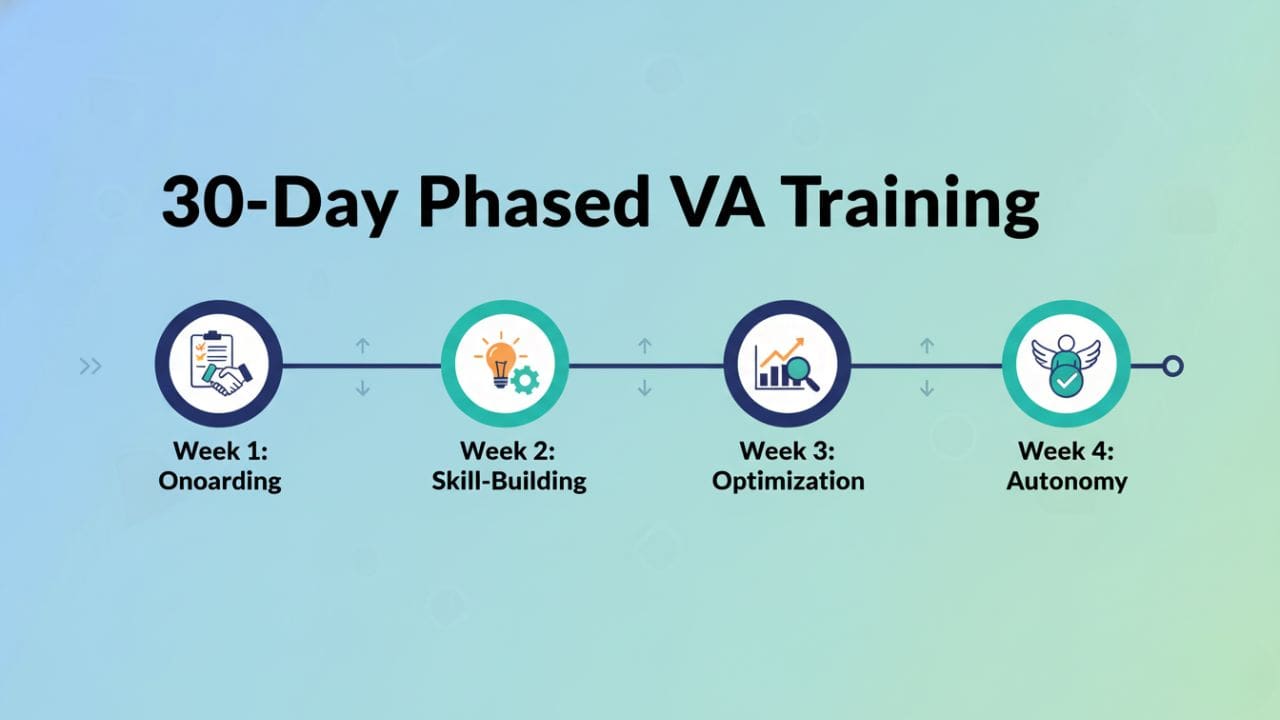
Here’s exactly what should happen each week, with clear deliverables and milestones.
Phase 1: Foundation (Days 1-7)
Goal: Tool proficiency and basic task execution
Day 1: Orientation & System Setup
- Deliverables: All tools accessed, welcome call completed, day 1 test tasks finished
- Milestone: VA can navigate all systems independently
Day 2-3: Core Task Training (Watch Phase)
- Deliverables: All SOP videos watched, note-taking completed, questions documented
- Focus: Email management, calendar management, basic CRM
Day 4-5: Supervised Practice (Do Phase)
- Deliverables: 3-5 tasks completed with supervision, first draft work submitted
- Focus: Real work with safety net
Day 6-7: Independent Execution (Improve Phase)
- Deliverables: Daily task completion without prompts, first quality checklist passed
- Milestone: 50% productivity target, <10% error rate
Week 1 Success Criteria:
✅ Completes routine tasks independently
✅ Knows where to find resources
✅ Communicates blockers proactively
✅ Meets basic quality standards
Phase 2: Building Confidence (Days 8-14)
Goal: Increase speed and reduce errors
Focus Areas:
- Task batching and time management
- Quality improvement
- Proactive communication
- Basic problem-solving
Deliverables:
- Handle 2-3 different task types daily
- Reduce error rate to <5%
- Submit daily summary reports
- Complete first week independently
Phase 3: Advanced Skills (Days 15-21)
Goal: Handle complex tasks and edge cases
Focus Areas:
- Exception handling
- Decision-making within guidelines
- Cross-functional task management
- Process improvement suggestions
Deliverables:
- Manage full workflow for 1-2 major responsibilities
- Handle unexpected situations using judgment
- Suggest 2-3 process improvements
- Train on advanced tools/features
Phase 4: Full Independence (Days 22-30)
Goal: Operate autonomously with minimal oversight
Focus Areas:
- Full task ownership
- Proactive problem-solving
- Performance optimization
- Knowledge documentation
Deliverables:
- Manage all assigned responsibilities independently
- Meet all performance targets
- Document personal SOPs for unique situations
- Pass final performance review
Tool Stack Guide With Practical Workflows
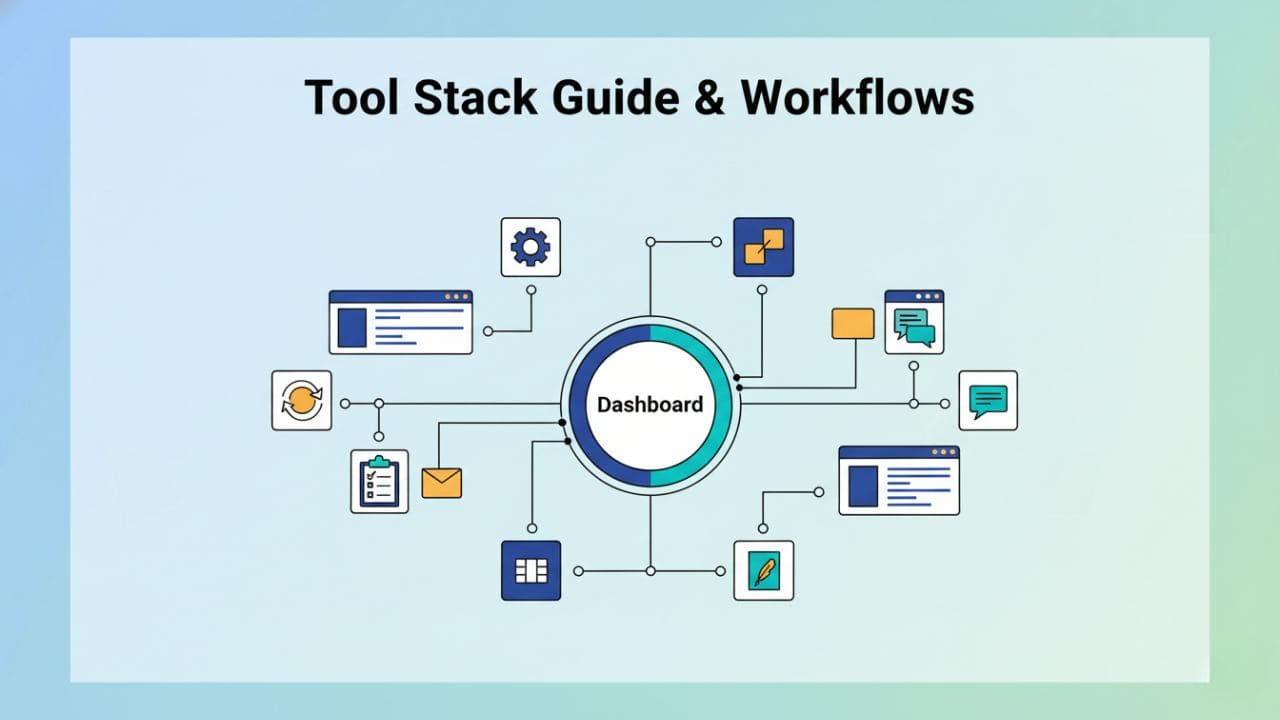
The right tools accelerate training dramatically. Here’s what works and how to use them.
Core Training Tools:
1. Loom (Video SOPs)
- Use case: Record every process once, reuse forever
- Workflow: Record → Share link in SOP doc → VA watches at own pace
- Pro tip: Keep videos under 7 minutes, one topic per video
2. Notion or Google Docs (Knowledge Base)
- Use case: Centralized resource library
- Workflow: Organize by function → Link SOPs → Embed videos → Add templates
- Pro tip: Use templates for consistency
3. Trello or Asana (Onboarding Board)
- Use case: Track training progress visually
- Workflow: Create columns for each phase → Add cards for each task → VA moves cards as completed
- Pro tip: Include checklists within each card
4. Slack (Communication)
- Use case: Quick questions, daily updates, file sharing
- Workflow: Create dedicated channel → Set response time expectations → Use threads
- Pro tip: Set up auto-responses for different request types
5. LastPass or 1Password (Access Management)
- Use case: Secure credential sharing
- Workflow: Create folders by tool → Share relevant folders only → Update as needed
- Pro tip: Never share passwords via email or chat
6. Time Doctor or Toggl (Time Tracking)
- Use case: Understand time allocation and identify bottlenecks
- Workflow: VA tracks time by task → Weekly review → Identify improvement areas
- Pro tip: Use data for process optimization, not micromanagement
7. Google Workspace (Collaboration)
- Use case: Real-time collaboration on documents, spreadsheets, presentations
- Workflow: Create shared drives → Set permission levels → Use comment features for feedback
- Pro tip: Use templates for consistent formatting
Sample Onboarding Board in Trello:
Lists:
- To Watch (SOP videos)
- To Practice (Test tasks)
- In Progress (Current work)
- Review Needed (Waiting for feedback)
- Completed (Finished and approved)
Card Example: “Email Management Training”
Checklist:
□ Watch email triage SOP video
□ Review email template library
□ Complete 50-email practice batch
□ Get feedback from manager
□ Handle real inbox for 3 days
□ Pass quality review

Attachments:
- Email SOP video
- Template library
- Decision tree flowchart

Due Date: Day 3
Assigned: [VA Name]
Communication Frameworks That Eliminate Confusion
Clear communication is the foundation of successful VA training. Use these frameworks to eliminate confusion.
The “Say-Show-Confirm” Framework
Already covered in Step 4, but worth reinforcing: Never assume understanding. Always close the loop.
The “5 W’s” Task Brief Framework
Every task assignment should answer:
- Who: Who’s responsible and who to contact for help
- What: Specific deliverable with examples
- When: Deadline with timezone clarity
- Where: Which tools, folders, or systems
- Why: Business context and importance
Feedback Formula: “SBI” (Situation-Behavior-Impact)
When giving feedback:
Situation: “In yesterday’s email batch…” Behavior: “…you used Template B for client inquiries…” Impact: “…which created confusion because Template A is our standard. Let’s make sure you’re using the right template so clients get consistent messaging.”
This approach is specific, non-personal, and actionable.
Timezone Overlap Strategy
For remote VAs in different timezones:
- Identify overlap hours: Find 2-4 hours of daily overlap
- Schedule sync time: Use overlap for check-ins and real-time questions
- Async communication: Use Loom, detailed docs, and Slack for everything else
- Respect boundaries: Don’t expect instant responses outside overlap hours
- Document thoroughly: Async work requires excellent documentation
Proactive Communication Expectations
Train VAs to communicate proactively:
| Good Examples | Bad Examples |
|---|---|
| ✅ “I’m blocked on Task X because I don’t have access to Tool Y. Can you grant access?” | ❌ “I couldn’t finish the task.” (no explanation) |
| ✅ “I finished Task A ahead of schedule. Should I start Task B or wait for your review?” | ❌ Waiting days to mention blockers |
| ✅ “I noticed the SOP for Task C doesn’t cover Scenario D. How should I handle this?” | ❌ Making assumptions without asking |
| ✅ Proactively flagging issues as soon as they appear | ❌ Staying silent until a deadline is missed |
| ✅ Asking clarifying questions to ensure accuracy | ❌ Guessing requirements and hoping for the best |
Sample Training Playbooks for Common VA Tasks
Let’s get specific. Here are complete training playbooks for the most common VA responsibilities.
Playbook 1: Email Management
Training Timeline: 2-3 days
Skills Required:
- Reading comprehension
- Decision-making using guidelines
- Written communication
- Template adaptation
Training Process:
Day 1: Learn
- Watch email triage SOP (10 min)
- Review email templates library (15 min)
- Study decision tree flowchart (10 min)
- Read past examples (20 min)
Day 2: Practice
- Complete 50-email practice batch
- Draft responses for 10 emails
- Get feedback and corrections
- Review mistakes with manager
Day 3: Execute
- Handle real inbox for 2 hours supervised
- Solo email triage for 1 hour
- Daily check-in and adjustment
Success Metrics:
- Inbox zero by target time (4 PM)
- <5% misrouted emails
- All urgent matters flagged within 1 hour
- Average response time <6 hours
Before-and-After SOP Example:
Before (Vague): “Check emails and reply to them.”
After (Clear):
Email Triage Process v2.3

Objective: Achieve inbox zero by 4 PM daily while ensuring urgent matters are addressed within 1 hour.

Process:
1. Sort inbox by unread, oldest first
2. Apply decision tree:

   IF: Client complaint/urgent issue
   THEN: Flag as urgent → Notify manager immediately → Draft response

   IF: General inquiry
   THEN: Use Template Library → Draft response → Submit for approval

   IF: Newsletter/marketing
   THEN: Evaluate value → Archive or unsubscribe

   IF: Spam/irrelevant
   THEN: Mark as spam → Delete

3. Use Gmail labels:
   - ⚡ Urgent (red)
   - 📝 Needs Response (yellow)
   - ✅ Completed (green)
   - 📁 Archive (blue)

4. Update tracker with action items extracted from emails

5. Submit end-of-day summary:
   - Emails processed: [number]
   - Urgent matters: [list]
   - Pending responses: [list]

Quality Checklist:
□ No unread emails older than 24 hours
□ All urgent flags reviewed by manager
□ Templates used correctly with personalization
□ Tracker updated with new tasks
□ No important emails in spam

Video: [Link] | Last updated: [Date] | Owner: [Name]
Playbook 2: Calendar Management
Training Timeline: 2 days
Skills Required:
- Attention to detail
- Time zone awareness
- Scheduling logic
- Proactive problem-solving
Training Process:
Day 1: Foundation
- Watch calendar management SOP (12 min)
- Review scheduling policies (buffer times, meeting priorities)
- Study example calendar with annotations
- Learn timezone conversion tools
Day 2: Hands-On
- Schedule 5 test meetings with varying complexities
- Handle 1-2 reschedule requests
- Block personal time per guidelines
- Get feedback on calendar organization
Success Metrics:
- Zero double-bookings
- 15-minute buffers between all meetings
- Meeting invites sent within 2 hours of request
- 100% timezone accuracy
Common Training Gaps Filled:
- How to prioritize conflicting meeting requests
- When to decline meetings vs. reschedule
- How to prep meeting materials
- Managing personal vs. business time
Playbook 3: Customer Support
Training Timeline: 4-5 days (more complex)
Skills Required:
- Empathy and emotional intelligence
- Problem-solving
- Product knowledge
- De-escalation techniques
Training Process:
Days 1-2: Knowledge Building
- Study product/service catalog
- Review common customer issues and solutions
- Read 20 past support tickets with resolutions
- Watch tone and empathy training video
Day 3: Shadowing
- Observe live support sessions
- Take notes on language, tone, and techniques
- Discuss observations with trainer
Days 4-5: Supervised Practice
- Handle simple tickets with oversight
- Draft responses for review
- Gradual independence on routine issues
- Escalation practice
Success Metrics:
- Average response time <4 hours
- Customer satisfaction score >4.5/5
- First-contact resolution rate >70%
- Escalation rate <15%
Resource Library: Templates & Downloadables
Here are ready-to-use templates to accelerate your VA training:
1. VA Starter Kit Checklist
□ Welcome email sent with login details
□ Company overview document shared
□ Access to all required tools granted
□ Password manager folder shared
□ Communication guidelines provided
□ Work hours and availability confirmed
□ First week schedule created
□ Resource library access granted
□ Introduction to team completed
□ First day agenda shared
□ Emergency contact information provided
2. Daily Task Brief Template
Task: [Task Name]
Assigned To: [VA Name]
Due Date: [Date and Time with timezone]
Priority: [High/Medium/Low]

OSCAR Framework:

Objective:
[What needs to be accomplished]

Scope:
[What IS included]
[What is NOT included]

Context:
[Why this matters to the business]
[How it fits into bigger picture]

Approach:
[Recommended method or process]
[Link to SOP if available]

Results:
[What success looks like]
[Measurable outcomes]
[Quality criteria]

Resources:
[Links to relevant docs, tools, examples]

Questions or Blockers:
[Space for VA to raise issues]
3. Weekly Performance Review Template
Week: [Date Range]
VA Name: [Name]
Reviewer: [Manager Name]

Performance Metrics:
- Tasks Completed: [X] / [Target]
- Error Rate: [X]%
- Avg Response Time: [X] hours
- Quality Score: [X]/10

Highlights This Week:
✅ [Achievement 1]
✅ [Achievement 2]
✅ [Achievement 3]

Areas for Improvement:
🔄 [Area 1]: [Specific feedback and action plan]
🔄 [Area 2]: [Specific feedback and action plan]

Training Completed:
□ [Training 1]
□ [Training 2]

Next Week's Goals:
🎯 [Goal 1]
🎯 [Goal 2]
🎯 [Goal 3]

VA Comments/Questions:
[Space for VA input]

Signatures:
VA: _____________ Date: _______
Manager: _____________ Date: _______
4. SOP Template (Adaptable)
[TASK NAME] - Standard Operating Procedure

Document Info:
Version: [X.X]
Last Updated: [Date]
Owner: [Name]
Next Review: [Date]

Purpose:
[Why this process exists]

When to Use:
[Triggers or frequency]

Who's Responsible:
[Primary and backup]

Tools Needed:
□ [Tool 1]
□ [Tool 2]
□ [Tool 3]

Prerequisites:
□ [Requirement 1]
□ [Requirement 2]

Step-by-Step Process:

Step 1: [Action]
[Detailed description with screenshots if needed]
Expected outcome: [What should happen]

Step 2: [Action]
[Detailed description]
Expected outcome: [What should happen]

[Continue for all steps...]

Quality Checklist:
□ [Check 1]
□ [Check 2]
□ [Check 3]

Common Mistakes:
❌ [Mistake 1] → ✅ [Correct approach]
❌ [Mistake 2] → ✅ [Correct approach]

Troubleshooting:
IF [Problem] THEN [Solution]
IF [Problem] THEN [Solution]

Related Resources:
- [Link 1]
- [Link 2]

Video Walkthrough: [Loom link]

Need Help? Contact: [Name/Channel]
5. End-of-Day Summary Template
Date: [Date]
VA Name: [Name]

✅ Completed Today:
- [Task 1] - [Time spent]
- [Task 2] - [Time spent]
- [Task 3] - [Time spent]

🚧 In Progress:
- [Task 1] - [% complete] - [Est. completion]
- [Task 2] - [% complete] - [Est. completion]

🔴 Blockers/Issues:
- [Issue 1] - [What you need to proceed]
- [Issue 2] - [What you need to proceed]

📊 Time Summary:
- Total productive hours: [X]
- Breakdown: [Task type]: [Hours]

💡 Notes/Observations:
[Any insights, suggestions, or questions]

🎯 Tomorrow's Priorities:
1. [Priority 1]
2. [Priority 2]
3. [Priority 3]
Continuous Learning & VA Growth Tracks
Training doesn’t end after onboarding. The best VA relationships include ongoing development.
Why Continuous Learning Matters
Research shows that companies investing in employee development see:
- 24% higher profit margins
- 218% higher income per employee
- 34% better retention rates
For VAs specifically:
- Skilled VAs deliver 3x more value over time
- Upskilling reduces turnover by 40%
- Career path clarity increases motivation by 60%
Skill Development Tracks
Create clear growth paths based on your business needs:
Track 1: Specialist Path VA deepens expertise in one area
Example: Executive Assistant Specialist
- Month 3: Advanced calendar strategy
- Month 6: Travel planning certification
- Month 9: High-level correspondence
- Month 12: Executive project management
Skills to develop:
- Anticipatory thinking
- Discretion and confidentiality
- Complex scheduling logistics
- Executive communication style
Recommended training:
- Executive Assistant courses on LinkedIn Learning
- Time management certifications
- Professional communication workshops
Track 2: Generalist Path VA expands capabilities across functions
Example: Operations Generalist
- Month 3: Basic customer support
- Month 6: Social media management
- Month 9: Data analysis and reporting
- Month 12: Process improvement methodology
Skills to develop:
- Cross-functional thinking
- Tool proficiency breadth
- Project coordination
- Systems thinking
Recommended training:
- Operations management courses
- Project management fundamentals
- Business process optimization
Track 3: Leadership Path VA grows toward team management
Example: Senior VA → Team Lead
- Month 6: Train one new VA
- Month 9: Quality assurance role
- Month 12: Manage small team (2-3 VAs)
- Month 18: Full team lead role
Skills to develop:
- Training and mentorship
- Performance management
- Quality control
- Leadership communication
Recommended training:
- Management fundamentals
- Giving effective feedback
- Conflict resolution
- Team motivation techniques
Monthly Development Framework
Every Month:
- 1 new skill or tool training (2-4 hours)
- 1 stretch assignment outside comfort zone
- 15-minute development check-in
- Access to learning resources budget
Every Quarter:
- Career development conversation
- Update growth plan based on interests
- Celebrate milestone achievements
- Adjust role responsibilities if appropriate
Every 6 Months:
- Formal performance review
- Compensation discussion
- Career path reassessment
- New responsibilities consideration
Recommended Learning Resources
Free Resources:
- YouTube tutorials for tool-specific training
- HubSpot Academy (free certifications)
- Google Digital Garage
- Coursera free courses
- LinkedIn Learning (free trial)
Paid Resources ($50-200/year):
- Udemy courses
- Skillshare subscription
- LinkedIn Learning subscription
- Industry-specific certifications
Books to Recommend:
- “The Effective Executive” by Peter Drucker
- “Getting Things Done” by David Allen
- “Deep Work” by Cal Newport
- “The Checklist Manifesto” by Atul Gawande
Skill Assessment Schedule
Track skill progression objectively:
Every 90 Days: Assess proficiency across core competencies:
| Skill Area | Current Level | Target Level | Development Plan |
|---|---|---|---|
| Email Management | Advanced | Expert | Teach new VA |
| Calendar Management | Intermediate | Advanced | Complex scheduling course |
| CRM Management | Beginner | Intermediate | 2-week focused training |
| Customer Support | N/A | Intermediate | Month 6-7 training |
Proficiency Levels:
- Beginner: Can complete with guidance
- Intermediate: Can complete independently
- Advanced: Can handle exceptions and teach others
- Expert: Process owner, can improve systems
Cultural Integration & Soft Skills Training
Technical skills are just half the equation. Cultural fit and soft skills determine long-term success.
Building Cultural Alignment
Week 1 Activities:
- Values Workshop (30 min)
- Share your company values
- Discuss what they mean in practice
- Give real examples of values-driven decisions
- Communication Norms Training
- Response time expectations by channel
- Tone guidelines (formal vs casual)
- How to push back respectfully
- When to escalate vs. solve independently
- Meet the Team
- Introduction to each team member
- Understand working relationships
- Learn communication preferences
- Clarify who to contact for what
Essential Soft Skills to Train
1. Proactive Behavior
What it looks like:
- Anticipating needs before being asked
- Suggesting improvements
- Identifying problems early
- Taking initiative within boundaries
How to train it:
- Reward proactive suggestions
- Ask “What else could improve this?” regularly
- Give progressively more autonomy
- Share examples of great proactive behavior
2. Professional Communication
What it looks like:
- Clear, concise messages
- Appropriate tone for audience
- Timely responses
- Structured updates
Training activities:
- Review before/after email examples
- Practice writing executive summaries
- Role-play difficult conversations
- Feedback on communication style
3. Problem-Solving
What it looks like:
- Trying to solve before escalating
- Bringing solutions with problems
- Using resources effectively
- Learning from mistakes
How to encourage it:
- Ask “What have you tried so far?”
- Reward attempt even if solution isn’t perfect
- Create safe space for mistakes
- Document lessons learned
4. Time Management
What it looks like:
- Prioritizing effectively
- Meeting deadlines consistently
- Communicating delays proactively
- Batching similar tasks
Training approach:
- Teach prioritization frameworks (Eisenhower Matrix)
- Review time tracking
- Identify time wasters collaboratively
- Set realistic workload expectations
5. Attention to Detail
What it looks like:
- Zero typos in client communication
- Consistent formatting
- Following checklists
- Catching errors before submission
How to develop it:
- Implement quality checklists
- Require self-review before submission
- Celebrate caught mistakes
- Track error trends for improvement
Timezone Management Strategies
For VAs in different regions:
Best Practices:
- Define Core Hours
- Identify 2-4 hour daily overlap
- Use for synchronous communication
- Respect off-hours boundaries
- Async-First Culture
- Default to written updates
- Use Loom for complex explanations
- Don’t expect instant responses
- Set “check-in times” for messages
- Calendar Transparency
- Share availability clearly
- Block focus time
- Note timezone in meeting invites
- Use world clock tools
- Emergency Protocols
- Define what constitutes “urgent”
- Establish emergency contact method
- Identify backup coverage
- Document escalation path
Tools to Help:
- World Time Buddy (timezone planning)
- Calendly (automatic timezone conversion)
- Slack status with timezone indicator
- Async communication guides
Building Trust and Psychological Safety
VAs perform best when they feel valued and trusted.
How to build it:
- Explain the “why” behind tasks
- Business context matters
- They’re not just task-doers
- Builds investment and ownership
- Encourage questions and pushback
- “That doesn’t make sense” should be welcomed
- No question is stupid
- Pushback improves processes
- Recognize contributions publicly
- Celebrate wins in team channels
- Share positive client feedback
- Acknowledge improvement efforts
- Credit ideas appropriately
- Invest in their growth
- Provide learning opportunities
- Discuss career aspirations
- Create advancement paths
- Support their goals
- Treat them as team members, not vendors
- Include in relevant meetings
- Share company updates
- Involve in decision-making when appropriate
- Celebrate milestones together
Common Mistakes That Slow Down VA Training
Avoid these if you want faster results:
1. Giving instructions through voice notes only
- Voice notes lack structure
- Can’t be referenced easily
- Harder to clarify
- Solution: Always follow up with written summary
2. Explaining tasks differently every time
- Creates confusion
- Prevents pattern recognition
- Leads to errors
- Solution: Document standard process once, update as needed
3. Not documenting improvements
- Wastes learning
- Repeats mistakes
- Slows scaling
- Solution: Update SOPs with every process improvement
4. Expecting perfection in week one
- Destroys confidence
- Increases stress
- Slows learning
- Solution: Set realistic 70% productivity target for week 1
5. Overloading the VA with too many tasks
- Spreads attention thin
- Increases errors
- Reduces learning depth
- Solution: Master 2-3 core tasks before adding more
6. Providing vague feedback
- “Good job” doesn’t teach
- “This is wrong” doesn’t guide
- Delays improvement
- Solution: Use specific, actionable feedback (SBI framework)
7. Not using their ideas
- Demotivates
- Wastes insider perspective
- Reduces ownership
- Solution: Implement at least one VA suggestion per month
8. Skipping the “why”
- Reduces engagement
- Limits decision-making ability
- Prevents initiative
- Solution: Always explain business context
9. Inconsistent check-ins
- Creates uncertainty
- Delays problem-solving
- Reduces accountability
- Solution: Schedule check-ins and honor them
10. Assuming they know cultural norms
- Different work cultures exist
- Communication styles vary
- Assumptions cause friction
- Solution: Explicitly teach your communication norms
Remember: Clarity beats speed. Always.
How to Scale VA Training as You Grow
Once you’ve trained one VA properly, scaling becomes exponential.
Build a Training Multiplication System
Step 1: Document Everything Every training session you do once should become:
- Written SOP
- Video recording
- Reusable template
- Checklist
Step 2: Create a Senior VA Role
Once your first VA reaches month 6-9:
- They become “Senior VA”
- They train new hires
- You review quality only
- You free up 70% of training time
Progression:
- Month 6: Train on 1-2 basic tasks
- Month 9: Lead full onboarding for new VA
- Month 12: Own training program improvements
Step 3: Standardize Everything
As you scale:
- Use same tools for all VAs
- Standardize naming conventions
- Create role-specific starter kits
- Build training cohorts (onboard 2-3 at once)
Benefits:
- Reduces confusion
- Enables peer learning
- Improves consistency
- Speeds troubleshooting
Step 4: Build a Knowledge Base
Move from scattered docs to centralized knowledge base:
Structure:
/Knowledge-Base
  /Getting-Started
    - Welcome & Culture
    - Tools & Access
    - First Week Guide
  /SOPs
    /By-Function (Email, Calendar, etc.)
    /By-Role (EA, Support, etc.)
  /Templates
    /Client-Facing
    /Internal
    /Reports
  /Training-Resources
    /Videos
    /Courses
    /Best-Practices
  /FAQs
Platform options:
- Notion (best for visual organization)
- Google Drive (simplest, everyone knows it)
- Confluence (best for large teams)
- Trainual (purpose-built for SOPs)
Step 5: Create Specialization Tracks
As team grows, specialize:
Instead of: 5 generalist VAs Do:
- 2 Email/Admin Specialists
- 1 Customer Support Specialist
- 1 Calendar/Executive Assistant
- 1 Data/Reporting Specialist
Benefits:
- Deeper expertise
- Faster training (narrow focus)
- Better quality output
- Easier to replace if needed
Step 6: Implement Quality Assurance
At 3+ VAs:
- Weekly quality reviews
- Peer review processes
- Error tracking dashboard
- Monthly training refreshers
QA Process:
- Random sample review (10% of work)
- Error categorization
- Root cause analysis
- Training update or individual coaching
- Track improvement trends
Hiring Trained VAs vs. Training Yourself
When to hire trained VAs:
- You need specialized skills (bookkeeping, design)
- You’re scaling fast
- Limited training capacity
- Complex technical requirements
When to train yourself:
- Building long-term team
- Unique processes or tools
- Want cultural fit priority
- Have training capacity
Best of both worlds: Hire VAs with foundational skills, then train on your systems.
Example: Hire VA with customer support experience, train them on your CRM and brand voice.
Real Success Stories: Training in Action
While we maintain client confidentiality, here are anonymized examples of our training system in action.
Case Study 1: E-commerce Business
Challenge: Growing online store needed customer support VA but had no training system.
Approach:
- Used REMMS 7-Day Accelerator
- Created email response templates
- Built decision tree for common issues
- Implemented daily check-ins
Results:
- VA reached full productivity in 12 days (vs. 30-day expectation)
- Customer satisfaction score: 4.8/5
- Reduced founder support time by 85%
- Error rate dropped from 18% to 3% by week 3
Key Success Factor: Video SOPs for complex order issues cut training time in half.
Case Study 2: Real Estate Agency
Challenge: Realtor needed executive assistant but traveled constantly, making training difficult.
Approach:
- Pre-built comprehensive starter kit
- All training via Loom videos
- Async check-ins with daily summaries
- Peer shadowing with another agency’s VA
Results:
- VA managing full calendar independently by day 5
- Zero double-bookings in 90 days
- Client meeting prep quality rated 9/10
- Saved realtor 15 hours/week
Key Success Factor: Async-first training approach enabled training despite time zones and travel.
Case Study 3: Marketing Agency
Challenge: Agency scaling from 1 to 5 VAs in 3 months.
Approach:
- Trained first VA comprehensively (30 days)
- First VA trained second VA (15 days)
- First VA trained VAs 3-5 in cohort (10 days each)
- Built centralized knowledge base
Results:
- Training time reduced from 30 to 10 days per VA
- Maintained quality across all hires
- First VA promoted to Team Lead
- Founder training time reduced by 90%
Visual Aids: Training Process Flowcharts
7-Day Onboarding Flowchart
Day 1: Foundation
├─ Morning: Welcome & Orientation (30 min)
├─ System Setup & Tool Access (1 hr)
├─ Resource Library Tour (30 min)
└─ First Test Tasks (2 hrs)
    └─ ✓ Deliverable: Day 1 tasks completed

Day 2-3: Core Skills
├─ Watch All Core SOPs (3 hrs)
├─ Supervised Practice (4 hrs)
├─ Daily Check-ins (15 min)
└─ Quality Review
    └─ ✓ Deliverable: Core tasks learned

Day 4-5: Build Confidence
├─ Independent Task Execution (6 hrs/day)
├─ Error Tracking Begins
├─ First Performance Metrics
└─ Process Questions & Refinement
    └─ ✓ Milestone: 50% productivity

Day 6-7: Increase Complexity
├─ Handle Exception Scenarios
├─ Manage Multiple Task Types
├─ Week 1 Performance Review
└─ Week 2 Goals Setting
    └─ ✓ Milestone: 70% productivity
Decision Tree: When to Search vs. Ask
Question arises
├─ Is it in the SOP?
│   ├─ Yes → Follow SOP
│   └─ No → Continue
├─ Is it in Resource Library?
│   ├─ Yes → Review resource
│   └─ No → Continue
├─ Is it time-sensitive (< 2 hours)?
│   ├─ Yes → Ask immediately via Slack
│   └─ No → Continue
├─ Can you research independently (15 min)?
│   ├─ Yes → Try research, document finding
│   └─ No → Add to daily check-in agenda
Performance Improvement Cycle
Measure
  ↓
Identify Gap
  ↓
Root Cause Analysis
├─ Unclear SOP?
├─ Missing training?
├─ Tool issue?
└─ Skill gap?
  ↓
Take Action
├─ Update SOP
├─ Additional training
├─ Tool adjustment
└─ 1-on-1 coaching
  ↓
Measure Again
  ↓
Repeat
Frequently Asked Questions
How long does it take to train a virtual assistant?
What tools help train virtual assistants faster?
Should I train a VA myself or delegate it?
What if my VA keeps making mistakes?
Is it better to hire trained VAs or train them yourself?
How do I train a VA in a different timezone?
How many tasks should I train at once?
How do I measure if my VA training is working?
What’s the biggest mistake in VA training?
How soon should I assign real work to a new VA?
Can I use your training system for multiple VAs?
What if I don’t have time to create SOPs?
Final Thoughts
Training a virtual assistant quickly isn’t about pushing harder or cramming more hours into your day. It’s about designing smarter systems that do the heavy lifting for you. And the data backs this up. Businesses that use structured onboarding cut training time by 40–50%, while video-based SOPs improve knowledge retention by up to 95% compared to text alone.
Add a clear development program, and retention improves by 34%. Then there’s the 30× rule: fixing mistakes takes 30 times longer than preventing them through proper training. In other words, clarity upfront always beats cleanup later.
When training is done right, the results compound fast. Productivity reaches nearly 70% in the first week and hits full capacity by week four. Founder stress drops dramatically as follow-ups and corrections disappear.
Teams scale smoothly instead of chaotically, error rates fall below 5% within 30 days, and each new hire requires less training time than the last because the system is already built.
The Remms 7-Day VA Accelerator gives you:
REMMS 7-Day VA Accelerator is designed to deliver. It replaces guesswork with clear outcomes and measurable success criteria, equips every VA with a complete starter kit, and uses SOPs that actually work concise, visual, and practical instead of overwhelming.
Communication frameworks eliminate confusion, proven methods like Say-Show-Confirm and Watch-Do-Improve create fast independence, and early test tasks generate quick wins. Structured check-ins build accountability, performance is tracked with real data, and a 30-day phased calendar guides progress.
On top of that, continuous learning paths, cultural integration, and soft-skills development ensure long-term success, whether you’re managing one VA or twenty.
At the core of it all is a simple rule: clarity beats speed. Always. Every hour you invest in building training systems pays exponential returns. Every SOP you document saves ten or more hours in future training. And every VA you train well becomes capable of training the next turning onboarding from a bottleneck into a scalable advantage.
Remember the golden rule: Clarity beats speed. Always.
Your investment in training systems pays exponential returns. Every hour spent building SOPs saves 10+ hours in future training. Every process you document becomes reusable forever. Every VA you train well can train the next one.
Ready to build a high-performing VA team?
REMMS handles the vetting, training, and management so you can focus on growth.
Book a Free ConsultationWas this guide helpful? Share it with other founders who need better VA training systems.