

Your dash cam is your silent witness on the road the device that captures everything from fender benders to scenic road trips. But like any piece of electronics exposed to the brutal environment of a vehicle interior, it won’t last forever.
The good news?
With proper care and maintenance, you can significantly extend its lifespan and ensure it’s recording when you need it most.
This comprehensive guide will walk you through everything you need to know about extending the life of your dash cam, from choosing the right hardware to daily maintenance habits.
And if you’re in the market for a new one, consider this your essential guide to making a smart, long-lasting investment whether you’re a solo driver or managing a fleet.
How Long Do Dash Cams Actually Last?
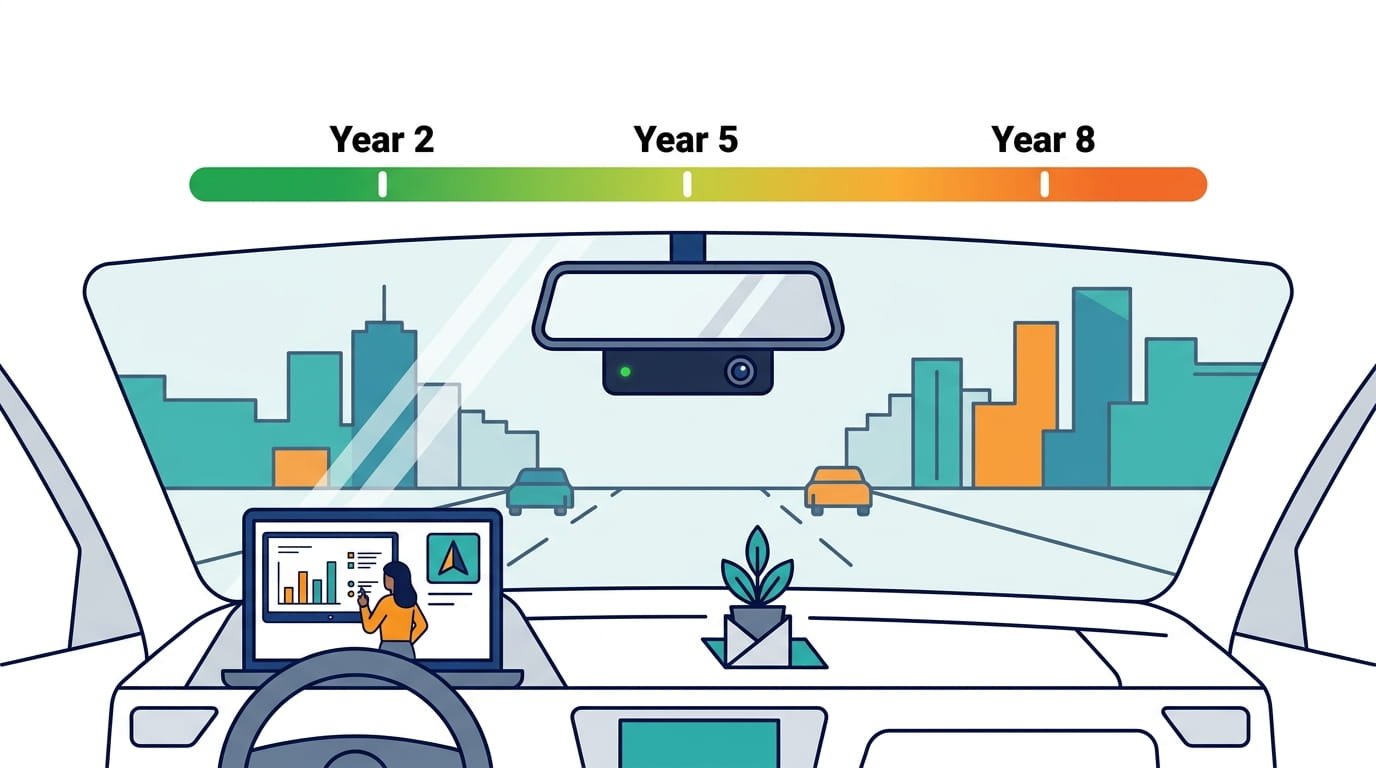
Before diving into maintenance strategies, it helps to understand what you’re working with. Most consumer-grade dash cams last 2 to 5 years in real-world use.
In temperate climates with moderate use, cameras in the $100–$300 range typically last 3 to 5 years before showing meaningful degradation image quality drops, recording reliability decreases, or the unit begins to freeze or restart randomly.
However, in hot climates like the American Southwest, Florida, or Texas, the same cameras often fail in 2 to 3 years. In extreme cases, cheap cameras in unshaded vehicles in Phoenix or Miami can fail within 12 to 18 months.
Some higher-end models with better components can last 8 to 10 years if properly cared for. The key difference comes down to build quality, operating environment, and most importantly how well you maintain the device.
What Kills Dash Cams Prematurely?
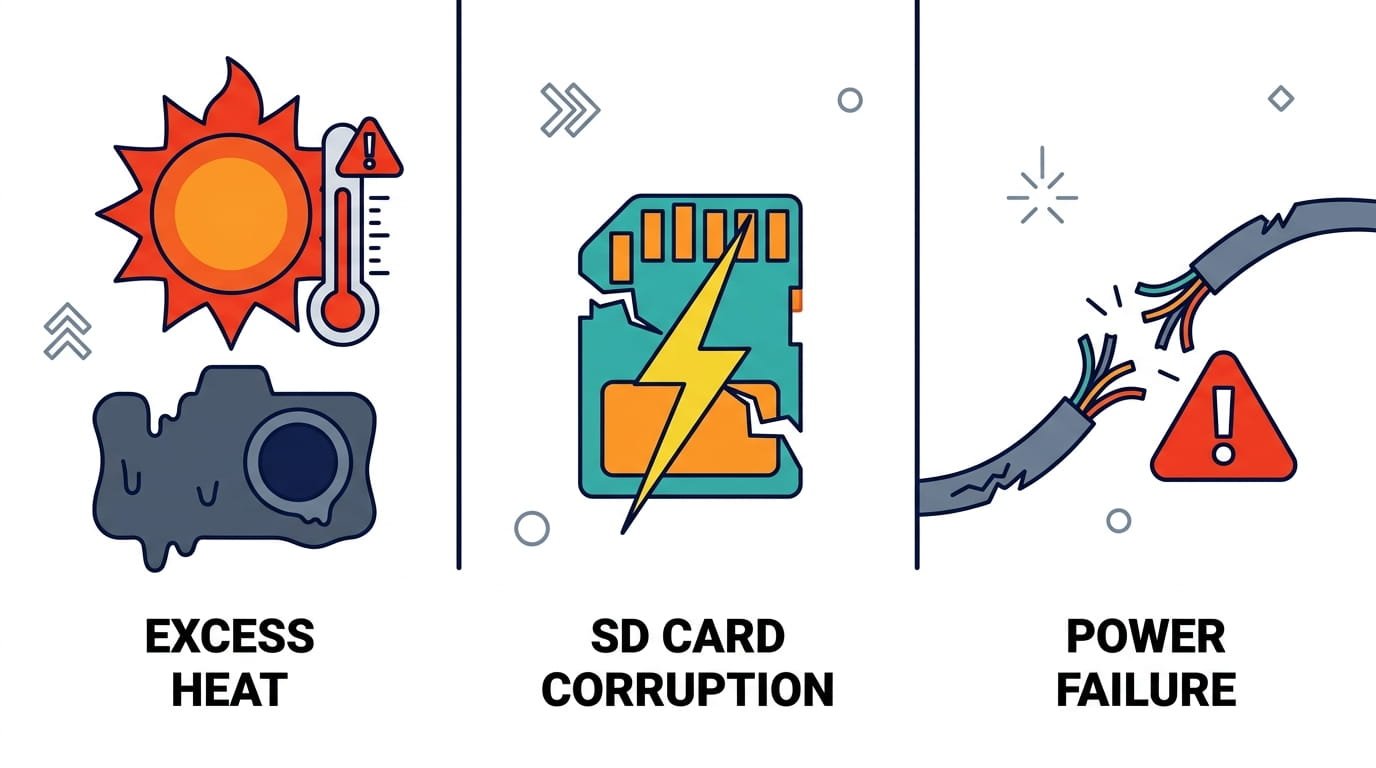
Understanding the common failure points is the first step in prevention. Here are the primary culprits:
1. Heat Is the Number One Killer
This isn’t a close second heat is the leading cause of premature dash cam failure by a wide margin. On a sunny 80°F day, the interior of a parked car can reach 130–170°F. A camera mounted directly to the windshield a glass pane that acts as a solar concentrator can easily reach 160–180°F internally.
Most electronic components are rated to 185–221°F maximum. Sustained temperatures near that ceiling cause cumulative damage to capacitors, solder joints, and the image sensor itself. The damage is often invisible at first the camera still records, but video quality gradually degrades, the lens coating begins to haze, the image sensor develops dead pixels, and eventually the unit stops booting reliably.
2. SD Card Failure
If you’re using a standard SD card in your dash cam, the card is almost certainly the first component to fail. Dash cams write continuously every minute of every drive.Consumer SD cards are rated for a finite number of write cycles. In a dash cam that records 8–10 hours a day, a standard card can fail in 3 to 6 months.
3. Battery vs. Capacitor
Inside your dash cam, power is stored by either a battery or a supercapacitor. This choice significantly affects longevity. Lithium-ion batteries degrade faster, especially in heat, and may need replacement in 1–3 years. Supercapacitors, by contrast, are more durable, withstand extreme temperatures better, and often outlast the dash cam itself.
4. Power Issues
Faulty wiring or constant power draws cause heat and stress. Hardwiring without a proper fuse or voltage cut-off can shorten life. Low-quality power supplies and cigarette-lighter adapters can cause voltage spikes that damage internal components.
Step-by-Step Guide to Extending Your Dash Cam’s Life
Step 1: Choose the Right Hardware from the Start
The foundation of longevity begins with your purchase decision. Not all dash cams are built the same.
Look for these features:
- Supercapacitor instead of lithium battery: If you live in a hot climate, this is non-negotiable. Capacitors handle heat cycles better and don’t swell or leak like batteries. The Rexing V1 Dash Cam, for instance, uses a supercapacitor a premium alternative to lithium-ion batteries that features enhanced temperature resistance to both hot and cold climates. This makes it a solid choice for drivers in warmer regions.
- Wide operating temperature range: Look for cameras rated for at least -4°F to 158°F.
- Replaceable mounts: Units with replaceable adhesive mounts and solid metal frames last longer.
- Reputable brand with warranty support: Brands like Rexing, Rove, and Vantrue typically offer better build quality and firmware support.
- Sensor quality: Prioritize sensor quality over pure resolution. A camera with a Sony STARVIS 2 sensor often outperforms cheap 4K units. The Rove R2-4K Dash Cam features a STARVIS 2 sensor, and the Vantrue N4 Pro Dash Cam takes it further with triple STARVIS 2 sensors across its front, interior, and rear cameras.
Step 2: Install It Properly
Improper installation can lead to shaky footage, poor angles, and power issues.
Best practices:
- Mount the dash cam securely behind the rearview mirror not in the dead center of the windshield. The mirror provides shade from direct sunlight, reducing temperatures by 20–40°F.
- Route the power cable neatly using clips or adhesive mounts.
- If using parking mode, hardwire with a proper kit that includes low-voltage protection (11.6–12.5V cutoff recommended). This prevents your car battery from draining.
- Avoid mounting near defroster element lines these heat the glass further and increase localized temperature.
Step 3: Use a High-Endurance microSD Card
This is arguably the single most important maintenance step. Standard memory cards wear out quickly with constant recording.
What to buy:
- High-endurance microSD cards specifically designed for dash cams or surveillance use
- Class 10 or U3 speed rating
- Capacities between 64GB and 256GB
- Trusted brands: SanDisk High Endurance, Samsung PRO Endurance, Lexar Endurance
A 256GB high-endurance card is engineered to handle up to 20,000 hours of uninterrupted recording. The MAX Endurance line handles up to 120,000 hours around 13 years of continuous use.
Different dash cams support different maximum card sizes. The Rexing V1 Dash Cam supports cards up to 256GB, while the Vantrue N4 Pro Dash Cam supports up to a massive 1TB a significant advantage for fleet operators who need maximum storage capacity. The Rove R2-4K Dash Cam often comes with a free 128GB card included, which is a nice starting point.
Pro tip: Replace your SD card every 12–18 months as preventive maintenance, regardless of whether it’s showing issues. It’s a small investment compared to losing critical footage.
Step 4: Format Your Memory Card Regularly
Even high-endurance cards need maintenance. Regular formatting prevents data corruption and clears hidden errors.
Recommended schedule:
- Format the card in the camera every 2 to 4 weeks
- At minimum, format it every 6–8 weeks
- Formatting in-camera (not on a computer) ensures the correct file system is used
Step 5: Keep the Lens Clean
A dirty lens means blurry or unclear footage which defeats the purpose of having a dash cam.
Cleaning routine:
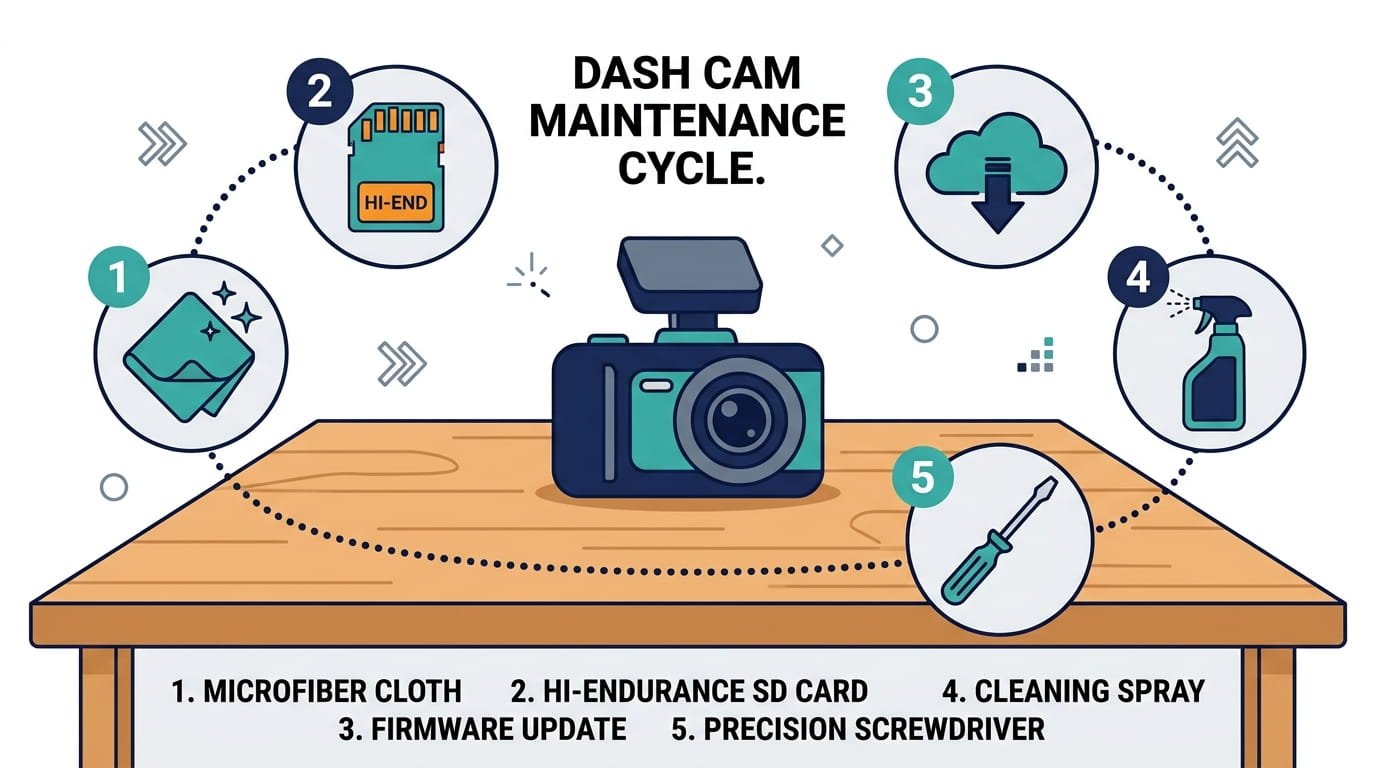
- Wipe the lens with a microfiber cloth weekly
- Avoid using harsh cleaners a lens cleaning solution or slightly damp cloth will do
- Remove dust from vents to prevent overheating
- Consider using a CPL (Circular Polarizing Lens) filter to reduce glare and improve image contrast
Step 6: Protect from Extreme Temperatures
Temperature management is critical for longevity.
Heat protection:
- Park in shade whenever possible this is the single most impactful thing you can do
- Use a windshield sunshade a reflective sunshade can cut interior temperatures by 30–40°F on hot days
- Mount behind the rearview mirror for natural shading
- Don’t leave parking mode running in hot climates a camera running continuously in a parked car in August in Phoenix is accelerating its own death
- For lithium battery-based cameras, bring them inside during stops longer than 20 minutes
Cold weather protection:
- Allow your vehicle to warm up before operating the camera
- Keep the car in a garage if possible
- Be aware that cold can cause a 20–50% loss of battery cranking capacity
Step 7: Update Firmware Regularly
Manufacturers release firmware updates to improve performance, fix bugs, add features, and patch security vulnerabilities. Most drivers never update their firmware, creating a growing gap between what the camera is capable of and what it’s actually doing and in some cases, causing recording failures and app connectivity problems.
Best practice: Check for updates quarterly. Visit the official website of your dash cam brand or check the companion app every few months. The Vantrue N4 Pro Dash Cam supports 5GHz Wi-Fi and OTA (over-the-air) updates, making firmware maintenance remarkably simple. The Rove R2-4K Dash Cam also offers 5G Wi-Fi with fast download speeds up to 20MB/s, and the Rexing V1 Dash Cam includes a mobile app that supports both iOS and Android platforms.
Step 8: Check the Mount and Connections
Vibrations, potholes, and daily driving can loosen your dash cam’s mount over time.
Monthly checks:
- Verify the suction cup or adhesive mount is secure
- Inspect cables for frays or loose connections, especially near connection points
- Replace damaged cables immediately
Adhesive mounts can fail in extreme heat. Standard 3M VHB tape is rated to approximately 200°F, but prolonged exposure near this limit reduces adhesive strength over time. A mount that holds perfectly in spring may fail on a hot August afternoon. Consider heat-resistant mounting tape rated up to 300°F if you live in a hot climate.
Step 9: Review Your Footage Occasionally
Checking your dash cam footage now and then isn’t just fun it’s also a quick way to spot problems.
What to look for:
- Glitches, artifacts, or corrupted files
- Audio issues or skipped recordings
- Incorrect timestamps or GPS lock
- Blurry or hazy footage indicating lens or sensor degradation
If you notice issues, troubleshoot immediately rather than waiting for a critical moment to be missed.
Step 10: Turn It Off When Not Needed
If your car will be parked for a long time several days or more consider turning the dash cam off to reduce wear and tear. This is especially important for battery-powered units and in extreme temperatures.
For hardwired dash cams with parking mode, make sure your car battery is healthy and use a battery discharge prevention device if possible.
The Capacitor vs. Battery Decision: A Deeper Dive
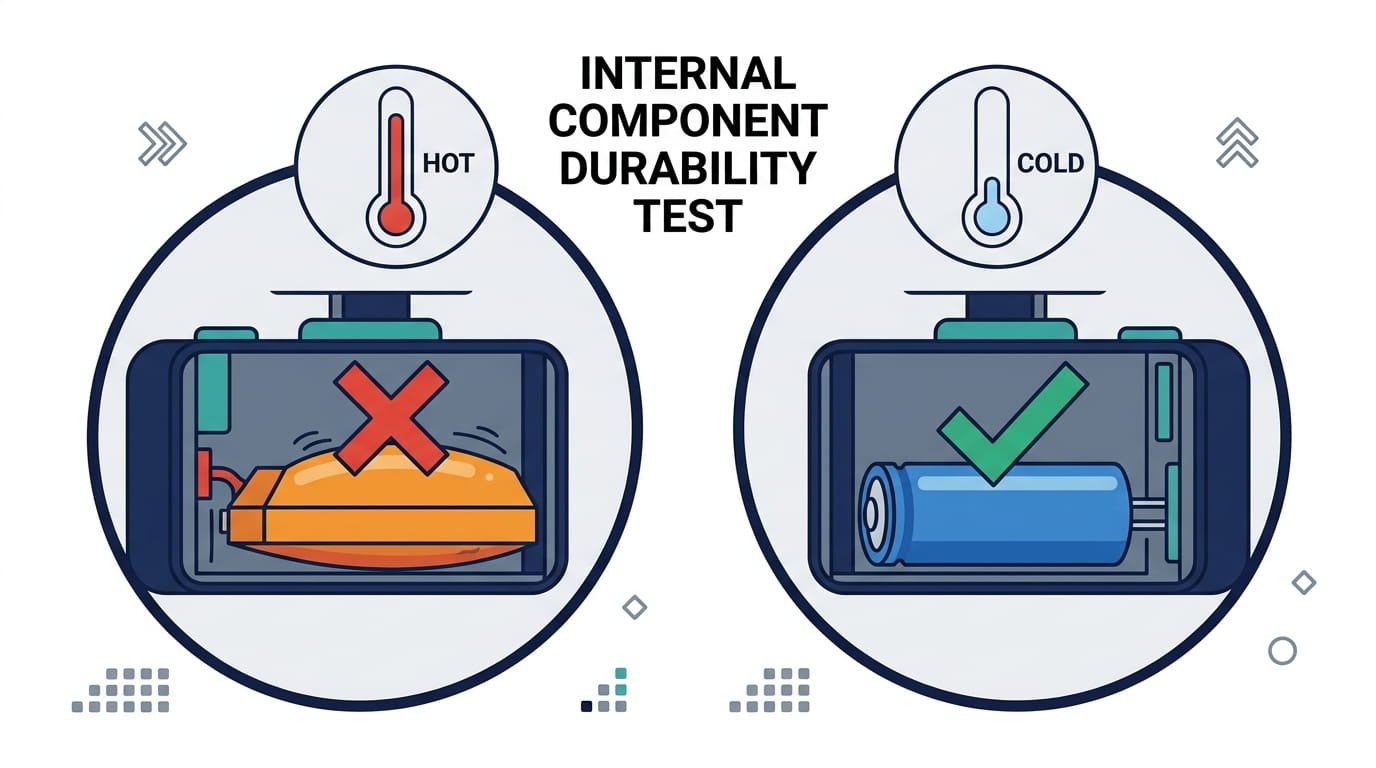
This decision deserves special attention because it fundamentally affects longevity.
Lithium-ion batteries:
- Prone to swelling, leaking, or degrading in heat
- May need replacement in 1–3 years
- Daily start-stop cycles wear small batteries faster than most owners expect
- In extreme cases, swollen batteries can physically deform the camera housing and create a fire risk
Supercapacitors:
- More durable and can withstand more extreme temperatures
- Don’t degrade or suffer from “memory effect” like batteries
- Often outlive the dash cam itself
- Handle daily start-stop cycles with ease
- Don’t swell, leak, or pose the same safety risks
The verdict: For most drivers, especially those in warmer climates, supercapacitor-based dash cams offer significantly better longevity. The Rexing V1 Dash Cam uses a supercapacitor, as do many of the more durable options on the market. The Rove R2-4K Dash Cam and Vantrue N4 Pro Dash Cam also prioritize robust power delivery suitable for demanding conditions.
Smart Parking Mode Usage
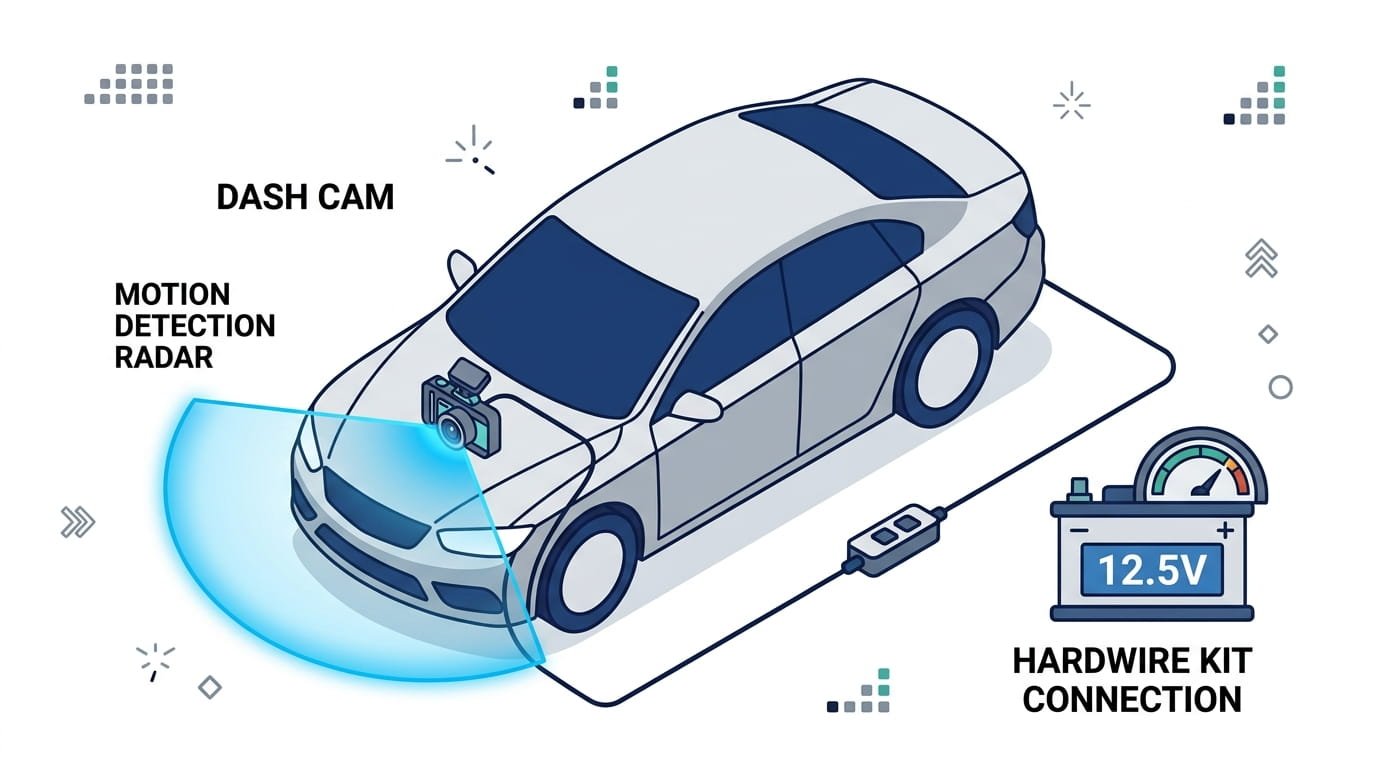
Parking mode offers 24/7 surveillance, but it can drain your car’s battery if not set up properly.
Best practices:
- Use motion detection or time-lapse mode to minimize energy use
- Install a hardwire kit with low-voltage protection
- Monitor your car battery health regularly
- Consider pairing with an external dash cam battery pack
- In hot climates, consider turning parking mode off during summer months
A dash cam in parking mode draws approximately 1.5–2.5W. Motion-triggered parking mode draws less during standby (80–150mA) and spikes to full power only when triggered. Modern dash cams include battery protection features that automatically stop recording when voltage drops below a certain level.
The Vantrue N4 Pro Dash Cam offers customizable motion detection areas and 24/7 buffered parking mode, while the Rove R2-4K Dash Cam provides 24-hour parking mode with built-in GPS. The Rexing V1 Dash Cam includes a parking monitor feature useful for fleet vehicles that sit unattended for extended periods.
Signs Your Dash Cam Needs Replacement
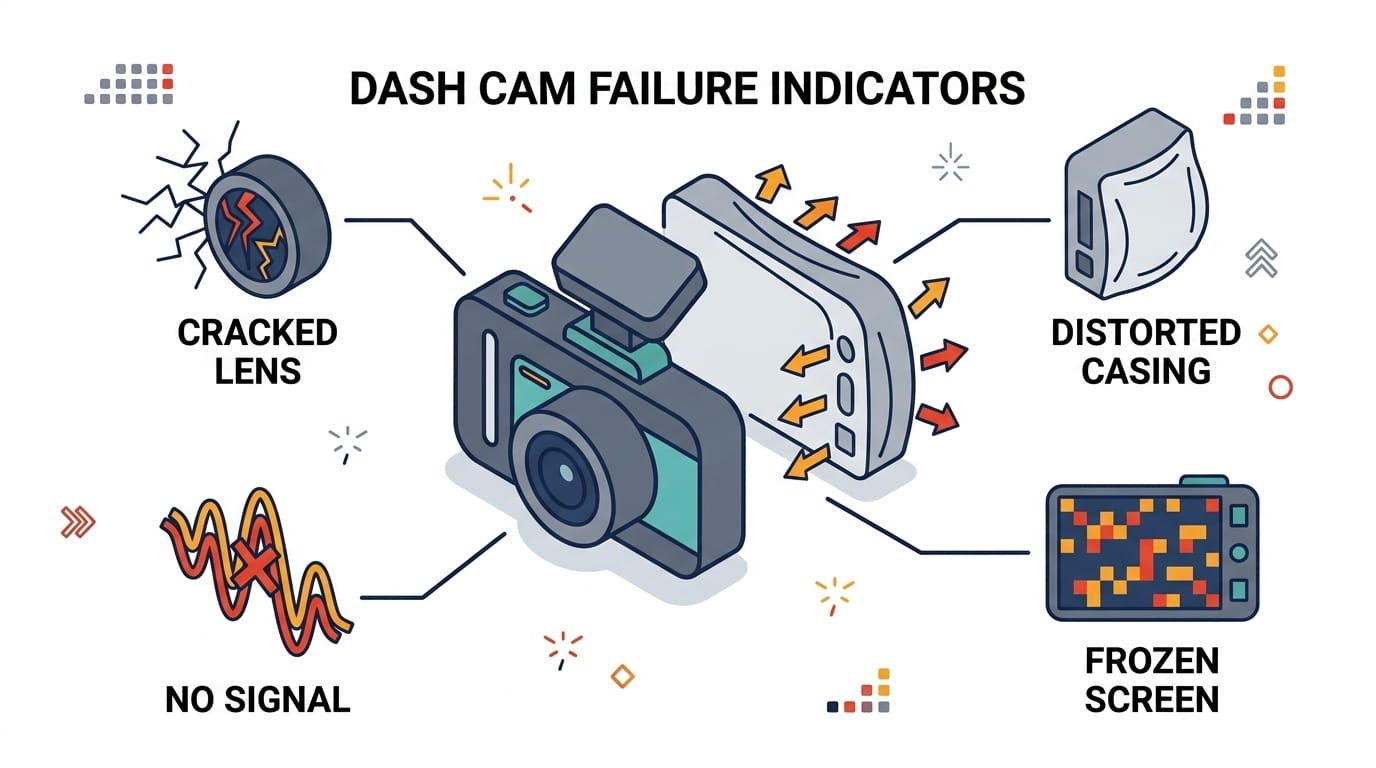
Even with perfect maintenance, dash cams don’t last forever. Here are signs it’s time for a new one:
- Image quality degradation: Footage looks hazy, has dead pixels, or colors are off
- Frequent freezing or restarting: The unit randomly reboots or locks up
- Battery swelling: The housing is deformed or bulging
- Mount failure: Adhesive no longer holds, even after replacement
- SD card errors persist: The camera repeatedly reports “no card detected” despite using a new high-endurance card
- Recording gaps: Footage has missing segments or corrupted files
If your camera is exhibiting these issues, it’s probably more cost-effective to replace it than to attempt repairs especially given how rapidly dash cam technology improves.
What to Look For in a Dash Cam for Longevity
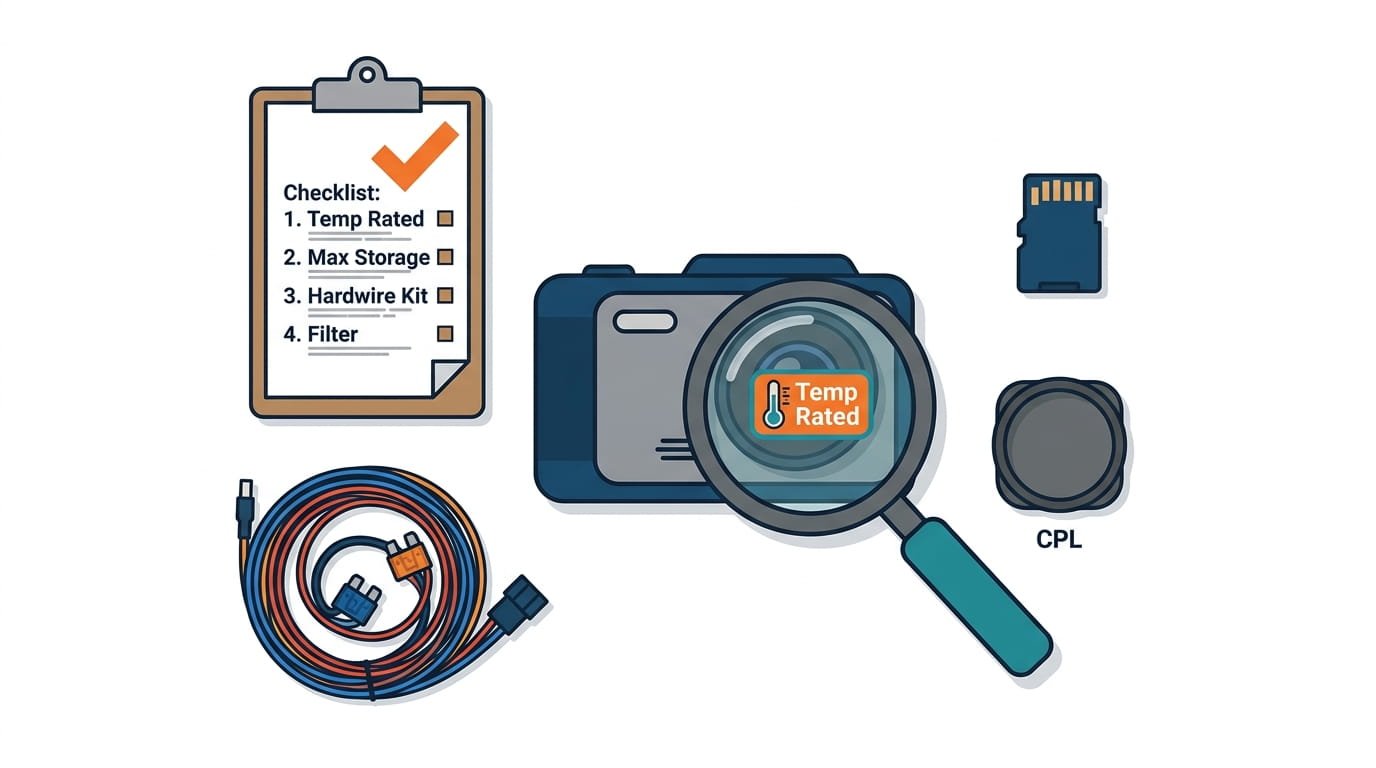
If you’re in the market for a new dash cam, here’s what to look for to maximize lifespan:
Essential Features for Longevity
| Feature | Why It Matters |
|---|---|
| Supercapacitor | Outlasts batteries in heat; no swelling or leaking |
| Sony STARVIS 2 sensor | Superior low-light performance; better image quality over time |
| High operating temp range | Survives parked-car heat; look for at least -4°F to 158°F |
| Replaceable mount | Easy to replace when adhesive fails |
| Reputable brand | Better build quality, firmware support, warranty |
| Hardwire kit compatible | Enables proper parking mode with voltage protection |
| High-endurance SD card support | Accepts large-capacity (256GB+) high-endurance cards |
Video Resolution Considerations
- 4K: Best for capturing details like license plates, but requires more storage. Most 4K dash cams max out at 30 fps. The Rove R2-4K Dash Cam records in 4K 2160P at 30 fps, and the Vantrue N4 Pro Dash Cam offers 4K front recording with HDR. The Rexing V1 Dash Cam is available in both 1080p and 4K variants.
- 2K (1440p): A good balance of quality and storage efficiency.
- 1080p (Full HD): Works fine for most situations but less useful for zooming in on details. The Rexing V1 Dash Cam captures Full HD 1080p video.
Frame Rate
- 30 fps: Good for city driving and nighttime (provides a brighter image)
- 60 fps: Best for highway driving; reduces motion blur
Additional Features Worth Considering
- GPS: Logs location and speed data crucial for accident disputes. The Rove R2-4K Dash Cam includes built-in GPS, and the Vantrue N4 Pro Dash Cam offers GPS tracking.
- Wi-Fi/App connectivity: Makes firmware updates and footage review easier
- CPL filter compatibility: Reduces windshield glare for clearer footage
- Multi-channel recording: For fleet operators or rideshare drivers, having front, rear, and interior coverage is invaluable. The Vantrue N4 Pro Dash Cam offers 3-channel recording (front + inside + rear), while the Rove R2-4K Dash Cam provides front and rear dual recording.
What to Avoid
- Lithium-ion battery models if you live in a hot climate
- No-name brands with poor warranty support
- Cameras with non-replaceable mounts or proprietary power cables
- Models with limited operating temperature ranges
Maintenance Checklist: Quick Reference
Here’s a summary checklist to keep your dash cam running strong:
| Task | Frequency |
|---|---|
| Clean lens with microfiber cloth | Weekly |
| Check mount is secure | Monthly |
| Format SD card in-camera | Monthly (or every 6-8 weeks) |
| Review footage for issues | Monthly |
| Check for firmware updates | Quarterly |
| Inspect cables for damage | Quarterly |
| Replace SD card | Every 12-18 months |
| Remove camera during extreme heat | As needed (hot climates) |
| Replace adhesive mount | As needed (1-3 years) |
For Fleet Operators: Additional Considerations
If you’re managing a fleet of vehicles, the stakes are even higher. A single dash cam failure in a fleet vehicle could mean lost evidence in an accident, disputed liability, or increased insurance costs.
Fleet-specific recommendations:
- Standardize on a single model: Choose one reliable dash cam for all vehicles to simplify maintenance, training, and spare parts inventory. The Rexing V1 Dash Cam, Rove R2-4K Dash Cam, and Vantrue N4 Pro Dash Cam each offer distinct advantages Rexing for its supercapacitor durability, Rove for its dual-channel coverage and included SD card, and Vantrue for its triple-channel recording and massive 1TB card support.
- Implement a maintenance schedule: Assign a team member to check SD card formatting, firmware updates, and lens cleanliness on a rotating basis.
- Invest in high-capacity cards: For fleet vehicles that log many hours daily, consider 256GB or larger cards. The Vantrue N4 Pro Dash Cam supports up to 1TB, making it ideal for high-mileage fleet operations.
- Monitor temperature exposure: Fleet vehicles parked outdoors in hot climates face the greatest risk. Consider sunshades or shaded parking where possible.
- Keep spare mounts and cables: Having replacements on hand minimizes downtime when components fail.
- Review footage periodically: Fleet managers should spot-check footage to ensure all cameras are functioning correctly and capturing usable video.
Final Thoughts
Your dash cam is a small device that does a big job. With a little attention and regular upkeep, you can make sure it’s ready whenever you need it.
Think of maintenance as an investment it’s not just about keeping the dash cam alive longer, but about ensuring it works flawlessly when it matters most.
The average dash cam lasts 2–5 years, but with the right care, you can push that to 7–10 years. Choose wisely whether it’s the supercapacitor-equipped Rexing V1 Dash Cam for hot climates, the dual-channel Rove R2-4K Dash Cam with its included 128GB card and STARVIS 2 sensor, or the triple-channel Vantrue N4 Pro Dash Cam with its professional-grade features and massive storage support.
Install properly, use high-endurance SD cards, protect from heat, keep firmware updated, and perform regular maintenance. These simple habits will save you money, prevent frustration, and ensure you always have the footage you need when you need it most whether you’re protecting your personal vehicle or an entire fleet.